
This post contains affiliate links. We may earn a small commission when you buy through our links — at no extra cost to you.
Your laptop stand promises ergonomic bliss, but the first keystroke sends it wobbling—a common frustration when design prioritizes portability over stability. Many stands claim rock-steady performance, yet real desk use reveals a different story, especially with larger laptops or heavy-handed typing. The missing piece is often a simple one: external keyboards remove the vibration source entirely.
This guide cuts through the marketing to match a stand to your actual workstyle. Whether you type directly on the laptop, rely on a separate keyboard, or need a stand that collapses into a carry-on, the right pick depends on a few overlooked specs—like base width, hinge design, and weight distribution. The result is a setup that holds steady, adjusts to your body, and travels without compromise.




Best for Sit-Stand & Collaboration
tounee Telescopic Stand
Key Features
- Height & Angle Adjustability: Telescopic, 2.1"–21" height, 360° swivel
- Stability When Typing: Heavy rotating base
- Build Material: Aluminum alloy
- Portability: Not foldable
- Compatibility: 10"–17" laptops, 22 lbs
- Price: Premium
The tounee Telescopic Stand extends from 2.1 inches to 21 inches and rotates a full 360°, adapting to sit-stand work and collaborative screen sharing without shifting position. Its aluminum alloy frame holds a 22-pound load securely, and the telescopic mechanism stays locked at any height.
Typing on a 15-inch laptop at full extension produces no wobble — the stand’s solid construction and wide base absorb motion well. The swivel rotates smoothly, letting you turn the screen toward a colleague without lifting the laptop. The height-adjustment mechanism demands deliberate force to move; that stiffness helps the stand stay exactly where you set it.
This stand suits desk workers who alternate between sitting and standing or share their screen frequently. The 21-inch range covers standard desk heights, and the 360° base reduces the need to reposition the entire laptop. The rubber strips on the base may peel over time — a cosmetic concern rather than a functional failure. Budget shoppers and those seeking a compact travel stand will find the size and price less appealing.
Pros
- Solid aluminum build holds position without wobble even at maximum height.
- Smooth 360° swivel lets you share your screen without moving the laptop.
- Telescopic height range from 2.1 to 21 inches covers both sitting and standing desk heights.
- Machined aluminum finish and robust hinges give a durable, high-end feel.
Cons
- Rubber strips on the base can loosen over time, potentially reducing grip on smooth surfaces.
- Height adjustment requires noticeable force, especially when extending near the maximum range.
For desk users who need both height range and swivel, the tounee delivers a rare combination of adjustability and stability without major compromises.
Best for Budget Adjustability
Nulaxy C1 Stand
Key Features
- Height & Angle Adjustability: Adjustable height and angle
- Stability When Typing: Anti-slip pads
- Build Material: Aluminum
- Portability: Foldable
- Compatibility: 10"–17" laptops, 44 lbs claimed
- Price: Budget
The Nulaxy C1 brings height-and-angle adjustability and a vented, heat-dissipating design to a budget that typically buys only fixed stands. While the foldable travel stand in this lineup wins on portability, the C1 claims a 44-pound weight limit, so it handles heavy gaming or workstation laptops without buckling. It’s a desk-first workhorse, not a backpack companion, and that focus shows in its thick aluminum arms and stable base that stay put once adjusted.
It’s the right pick for a home office user who wants to dial in a precise screen height without spending much. The multiple joint positions let you raise the laptop to eye level and tilt the keyboard deck, making long workdays more comfortable. Because some screen bounce can occur when typing directly on the deck, an external keyboard and mouse are the sensible pairing—something many overlook when buying an adjustable stand. This setup also makes the most of the stand’s ergonomic range.
The stiff adjustment hinges require two hands and deliberate force, especially out of the box. That’s a benefit when the stand is locked in place: the joints hold firm under a loaded laptop. But if you need to switch angles daily or share the desk with another user, the adjustment friction will be noticeable. For most, it’s a one-time setup, and the sturdy, vented platform then quietly does its job.
Pros
- Well-built aluminum frame feels sturdy even with heavier laptops
- Multiple height and angle settings let you dial in an ergonomic setup
- Supports up to 44 lbs, making it safe for larger gaming or workstation laptops
- Vented design improves airflow under the laptop
Cons
- Adjustment hinges can be stiff and often need two hands to reposition
- Typing directly on the laptop may produce noticeable screen wobble
If you want an adjustable stand that won’t collapse under a heavy laptop and don’t mind using an external keyboard for typing comfort, the Nulaxy C1 delivers genuine flexibility at the lowest price in this set.
Best for External Keyboard Users
SOUNDANCE Stand
Key Features
- Height & Angle Adjustability: Fixed 6-inch height
- Stability When Typing: Non-slip grips
- Build Material: 5mm aluminum alloy
- Portability: Detachable
- Compatibility: 10"–15.6" laptops, 8.8 lbs
- Price: Budget
Unlike single-piece aluminum risers that charge a premium for seamless construction, the SOUNDANCE stand breaks into three tool-free pieces that lock together in seconds. That detachable design simplifies storage and transport while delivering the same 6-inch screen lift and stable platform as fixed competitors. The 5mm aluminum slab and wide base support laptops up to 15.6 inches, and non-slip silicone grips prevent sliding.
The gold-anodized finish and clean lines bring a modern desk aesthetic without the industrial look of cheaper stamped-metal stands. Once assembled, the stand feels dense and planted—even aggressive mouse movements or desk bumps rarely shift the laptop. Silicone pads on the base and arms grip both the desk and the computer, keeping everything firmly in place.
This stand suits anyone who uses an external keyboard and mouse and doesn’t need to change height during the day. The fixed 6-inch elevation and slight forward tilt are permanent; if you prefer to type directly on your laptop keyboard or need an angle that tilts back, an adjustable model will fit better. Occasional wobble can appear with heavier 15.6-inch machines, but a separate keyboard makes it irrelevant. For a no-fuss riser that costs a fraction of adjustable stands, it delivers exactly what a fixed-height user needs.
Pros
- Feels solid and premium, with thick aluminum that doesn’t flex under weight.
- Snaps together in seconds without tools, ready to use right out of the box.
- Gold anodized finish and clean lines elevate the look of any workspace.
- Delivers premium build quality at a budget-friendly price.
Cons
- Fixed 6-inch height and slight forward tilt can’t be adjusted—typing directly on the laptop may feel awkward for some.
- Occasional wobble with larger or heavier laptops, especially when typing on the built-in keyboard.
For external keyboard users who want a straightforward lift without paying for adjustability, the SOUNDANCE stand delivers a clean, sturdy perch that looks far more expensive than its budget price.
Best for Standing Desk Users
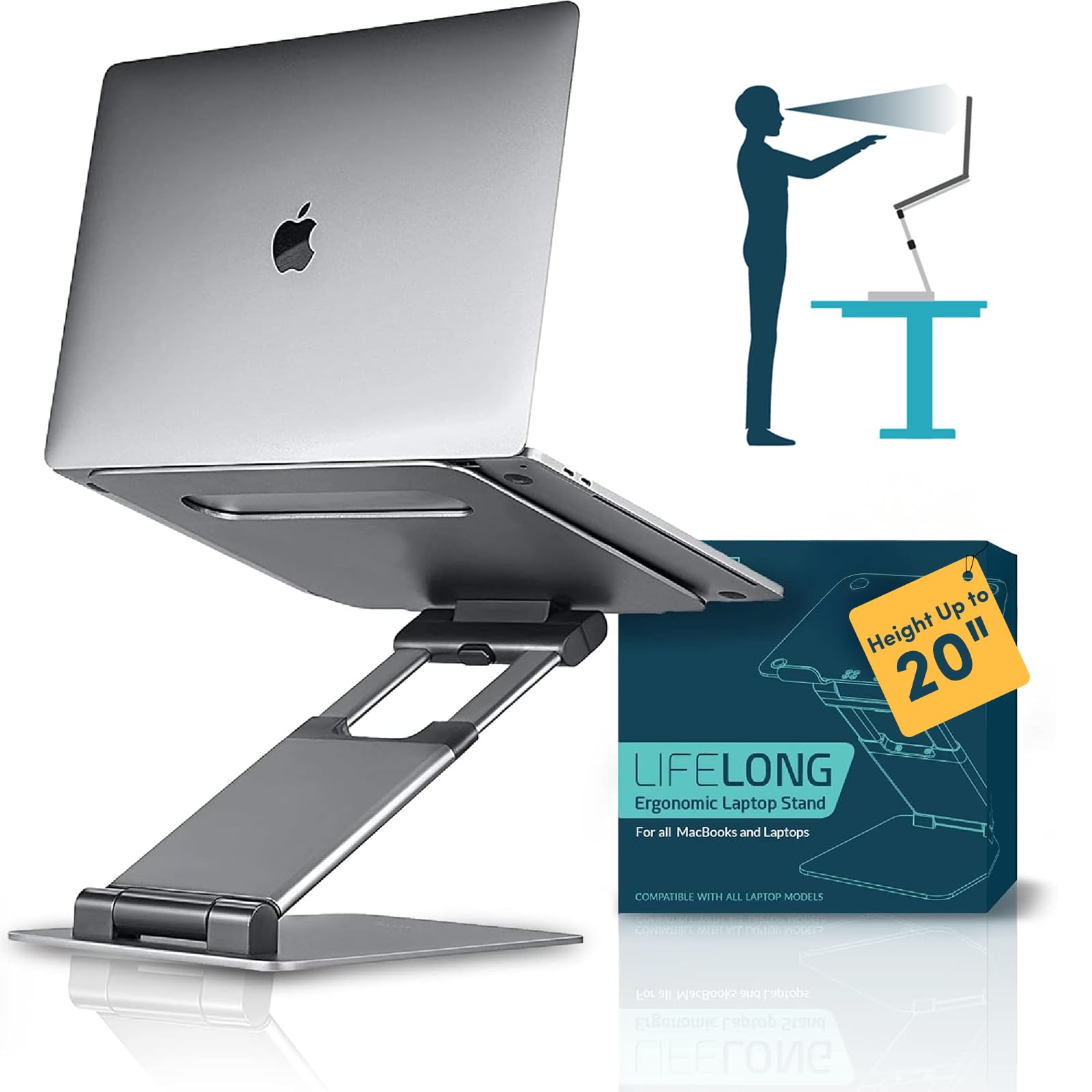
Lifelong UPRYZE Stand
Key Features
- Height & Angle Adjustability: Adjustable, up to 20" height, 13" arm extension
- Stability When Typing: Large footprint base
- Build Material: Aluminum
- Portability: Not foldable
- Compatibility: 10"–17" laptops, heavy support
- Price: Premium
The Lifelong UPRYZE Stand rises up to 20 inches, offering enough elevation to turn a sitting desk into a standing workstation without a bulky converter. Its wide base and large footprint eliminate wobble even under heavy laptops, making it more stable than the slimmer swivel stands in this set. This is not a portable or compact design — stability at height is the priority.
The aluminum build is dense and the rubberized base grips the desk securely. The telescopic arms extend smoothly, though the hinges demand deliberate effort to move — a stiffness that ensures zero wobble once locked. The stand’s footprint is wide, providing a stable platform but covering more space than most fixed-height risers.
This stand suits tall users who need high screen elevation, or anyone running a heavy laptop in a standing desk setup. The large footprint makes it a poor fit for cramped desks or frequent relocation. Those with spacious workspaces who want rock-solid support under a 17-inch machine will find the trade-offs manageable.
Pros
- Extremely sturdy and stable in all positions — no wobble even at full extension.
- Highly adjustable height range works for both sitting and standing desk postures.
- Solid aluminum construction with a dense feel and premium finish that holds up to daily use.
Cons
- Adjusting the height requires significant effort due to stiff hinges — a direct trade-off for zero-wobble stability.
- On smaller desks, the generous footprint can crowd the workspace — fine on larger surfaces.
For heavy-laptop users who prioritize stability at standing height and have the desk space to spare, this stand delivers without compromise.
Best for Travel & Portability
Lamicall Adjustable Stand
Key Features
- Height & Angle Adjustability: Adjustable height and angle
- Stability When Typing: Large heavier base
- Build Material: Aluminum alloy
- Portability: Foldable
- Compatibility: 10"–17.3" laptops
- Price: Mid-Range
Lamicall’s adjustable stand uses a full aluminum frame that folds into a slim profile, small enough to slide into a laptop bag. The height and angle can be tweaked across a useful range, which makes it a practical companion for coffee shops, co-working spaces, or swapping between sitting and standing desks. Build quality feels solid for the price point, and the wide base adds lateral stability on flat surfaces.
Where this design shows its travel focus is in the tradeoffs: the stand can wobble when typing directly on heavier laptops — those who use an external keyboard will notice it far less. The rubber pads on the bottom use adhesive that may loosen over time, a minor annoyance that can be managed with aftermarket feet. These limitations keep it from matching the rock-solid feel of a fixed one-piece stand like the Rain Design mStand, but for most everyday desk use the flexibility more than compensates.
This stand works best for people who move between setups regularly and don’t rely on the laptop keyboard for heavy typing sessions. It’s also a good fit for home-office users who want ergonomic adjustability without a permanent footprint. If absolute stability under a 17-inch gaming laptop or aggressive typing is the priority, a fixed stand like the VIVO or Rain Design is a better match.
Pros
- Solid aluminum construction with a sturdy feel across height adjustments.
- Multiple height and angle settings accommodate different desk setups and postures.
- Designed to fit most 10–17.3 inch laptops, especially MacBooks, without blocking ventilation.
- Good value for money given the foldable design and build materials.
Cons
- May wobble when typing on heavier laptops — less of an issue when using an external keyboard.
- Rubber pads on the underside can detach over time because the adhesive is not durable.
A portable, adjustable stand that rewards travelers and desk users who pair their laptop with an external keyboard — the compact design and solid build outweigh the occasional stability tradeoff for most setups.
Best for Affordable Collaboration
LOXP Adjustable Swivel
Key Features
- Height & Angle Adjustability: Adjustable height and angle
- Build Material: One-piece fiber metal
- Portability: Foldable
- Compatibility: 10"–16" laptops
- Price: Mid-Range
The LOXP stand brings fluid 360° screen sharing and practical height-and-angle adjustment to desks that don’t demand standing-height extension. Unlike the telescopic top pick that reaches well above seated level, this model focuses on collaborative seated work and keeps the mechanism simple and the price affordable. The swivel action is consistently smooth, and the hinge system holds its position without slipping, so pivoting toward a colleague or adjusting for glare takes seconds.
It’s a strong fit for students, office teams, and home workers who rotate their laptop frequently or need a no-fuss ergonomic lift without a large outlay. The one-piece fiber metal construction looks sleek in a minimalist setup and folds flat enough to toss into a bag. Edge cases to consider: laptops larger than 16 inches won’t sit safely, and heavy-handed typists who pound the built-in keyboard may experience a slight wobble. For those users, an external keyboard essentially eliminates the movement.
Build quality belies the mid-range cost. The fiber metal resists flex, and the base stays planted on the desk when swiveling rather than dragging. Rubber pads on the arms and bottom shelf keep the laptop from sliding, and the hinge tension is firm enough to support a wide range of notebook weights. The foldable design makes it viable for hybrid workers who move between home and an office a few days a week.
Pros
- Sturdy one-piece fiber metal construction resists flex on the desk.
- Smooth 360° swivel rotation allows effortless screen sharing.
- Decent height and angle adjustability tailors the viewing position.
- Sleek, modern design that looks at home in most workspaces.
Cons
- Screen can shake during vigorous typing on the laptop keyboard.
- Does not accommodate laptops larger than 16 inches.
For seated work that benefits from frequent screen sharing, the LOXP delivers strong build quality and fluid rotation at a fair price. Pair it with an external keyboard to sidestep the wobble that emerges during vigorous typing.
Best for Occasional Budget Use
Amazon Basics Adjustable

Key Features
- Height & Angle Adjustability: Adjustable height
- Build Material: Lightweight aluminum
- Portability: Foldable
- Compatibility: Up to 15.6" laptops
- Price: Budget
The Amazon Basics stand offers height and angle adjustability in a lightweight, foldable aluminum frame that slips easily into a bag. Its low cost makes it a practical value for anyone who needs occasional ergonomic relief. The adjustment hinges are unusually stiff, requiring a firm two-handed grip to reposition—a trade-off that’s easier to accept given the budget price. Direct typing can introduce some wobble, but pairing the stand with an external keyboard eliminates that entirely. It works best for stationary desk setups with standard-sized laptops under 15.6 inches, not for heavy typists or those who reposition frequently.
Pros
- Solid build quality at a low price point
- Height and angle adjust smoothly once the hinges loosen over time
- Exceptional value compared to pricier adjustable stands
Cons
- Stiff hinges demand significant force to adjust, especially when new
For occasional use with an external keyboard and a standard-sized laptop, this stand gives you height adjustability on a shoestring budget—just budget some muscle for the hinges.
Best for Macbook Aesthetics
Rain Design mStand

Key Features
- Height & Angle Adjustability: Fixed 5.9-inch height
- Stability When Typing: Single-piece aluminum
- Build Material: Single-piece aluminum
- Portability: Not portable
- Compatibility: Depth < 10.4 inches
- Price: Mid-Range
The Rain Design mStand’s single-piece aluminum construction delivers a rock-steady platform that complements MacBook aesthetics. Its 5.9-inch lift relieves neck strain, and the cable management tunnel keeps desks tidy. The fixed height and angle mean no adjustability, and the stand only fits laptops with a depth under 10.4 inches — so larger non-Mac models won’t sit securely. For MacBook users who pair a laptop with an external keyboard and never need to tweak viewing angles, this stand offers a premium desk upgrade with zero wobble.
Pros
- Premium, rock-solid build with a sleek finish that complements MacBooks and any modern desk.
- Extremely stable platform prevents wobble, even during typing, keeping the laptop firmly in place.
- 5.9-inch lift helps reduce neck and back strain by bringing the screen closer to eye level.
Cons
- Fixed height (5.9 inches) and angle cannot be adjusted, limiting ergonomic fine-tuning.
- Only compatible with laptops under 10.4 inches deep, excluding many larger gaming or workstation models.
For MacBook users who use an external keyboard and want an unshakeable aluminum stand that matches their desk aesthetic, the mStand delivers — but those who need adjustable height or use larger laptops should pass.
Best for Ultra-Portable Travel
Kensington Foldable

Key Features
- Height & Angle Adjustability: 5 preset angles
- Stability When Typing: Silicone anti-slip pads
- Build Material: Aluminum
- Portability: Ultra-slim foldable
- Compatibility: 10"–17" laptops, 6.6 lbs limit
- Price: Premium
Kensington’s stand folds into a slim slab that slips into a laptop bag without a second thought. The aluminum body resists wobble under typing, and silicone pads keep tablets and light laptops from sliding. Five preset angles are provided—no fine-grained tilt—and the 6.6-pound capacity keeps heavy workstations off it. The premium price only makes sense for frequent travelers with ultrabooks; for everyone else, more adjustable or higher-capacity stands deliver better value.
Pros
- Folds flat enough to disappear into a backpack or briefcase.
- Resists wobble on the go, keeping light laptops steady.
- Grips tablets and 10–17-inch laptops securely with silicone pads.
Cons
- Only five angle settings; fine-tuning the tilt for exact eye level isn’t possible.
- 6.6-pound ceiling rules out gaming laptops and 17-inch workstations.
Frequent fliers with a sub-3-kg ultrabook who value packability above all else will find this stand a smart companion; others should look at more adjustable or higher-capacity options.
How to Choose
The single biggest factor in a laptop stand that actually works for you is how you plan to type—directly on the laptop or with an external keyboard—because that decision changes the stability and adjustability you need.
Height & Angle Adjustability
Adjustable stands let you fine-tune the screen to eye level, reducing neck strain. The mechanism matters: telescopic arms offer a wider range but can be stiff at first, while dual-hinge designs are easier to tweak but may not go as high.
A fixed stand gets you one position, often around 6 inches, which works perfectly if you always use an external keyboard and sit at the same desk. If you frequently alternate between sitting and standing, look for a model that extends beyond 15 inches—otherwise you’ll hunch when standing.
Stability When Typing
The wobble many users complain about comes from a narrow base or lightweight arms that amplify keystroke vibrations. Stands with a broad, heavy base or dual support arms dissipate that energy better, making direct typing less jarring.
If you plan to type on the laptop keyboard while the stand is elevated, prioritize models that mention a wide footprint or reinforced hinges. External keyboard users can tolerate more flex because their hands aren’t transferring force to the platform.
Build Material
Aluminum is the standard because it’s light, dissipates heat, and resists bending. The thickness of the aluminum alloy matters: thicker sheets (4-5mm) resist flex better than ultra-thin frames.
Plastic stands are rare in this category, but if you spot one, expect more vibration and potential cracking over time. Aluminum anodized finishes also hold up against scratches better than painted coatings.
Portability
Fold-flat designs slip into a laptop sleeve easily, but the hinge points can introduce a slight wobble compared to one-piece stands. Detachable models offer a middle ground—they break down into flat pieces but need to be reassembled.
If you travel weekly, a slim foldable stand is worth the minor stability sacrifice. For a permanent home desk, a non-foldable stand with a larger base will always feel more planted.
Compatibility
Most stands support 10- to 17-inch laptops, but weight capacity is the hidden gatekeeper. A 17-inch gaming laptop can tip past 6 pounds, exceeding many lightweight stands’ limits. Always check the manufacturer’s weight rating, not just the screen size range.
Depth matters too—some stands have a lip that catches laptops up to a certain depth, and if your machine is too deep, it won’t sit securely. For MacBooks with Thunderbolt ports, ensure the stand doesn’t block ports you need.
Common Mistake
FAQ
Why does my laptop stand wobble when I type?
Wobble happens because the force of each keystroke travels through the laptop into the stand. Stands with a narrow base or lightweight arms amplify the vibration. Switching to an external keyboard removes the force entirely, but if you must type on the laptop, choose a stand with a wide, heavy base or dual support rods for extra stability.
Is a fixed height laptop stand better for ergonomics than an adjustable one?
It depends on your work habits. A fixed stand at 6 inches works well if you use an external keyboard and sit at the same desk every day—it’s simpler and often more stable. If your chair height fluctuates or you alternate between sitting and standing, an adjustable stand lets you dial in eye level and prevents neck strain. For most people, adjustability provides more long-term ergonomic benefit.
Can a laptop stand with a swivel base still be stable for heavy laptops?
Yes, if the swivel mechanism is built into a heavy base. The weight of the base counteracts the torque of a heavy laptop when you rotate it. Stands like the tounee use a wide, weighted bottom to stay planted even with a 15-inch laptop. Lighter swivel stands may wobble more, so look for a base that feels substantial and doesn’t lift when you swivel.
How much weight can a typical aluminum laptop stand hold?
Most aluminum stands hold between 8 and 22 pounds, but some budget models claim up to 44 pounds. The listed capacity often refers to static load—a laptop sitting still—not to the dynamic load of typing. For heavy gaming laptops over 6 pounds, choose a stand with a documented high capacity and a wide, stable base to avoid tipping.