
This post contains affiliate links. We may earn a small commission when you buy through our links — at no extra cost to you.
Shopping for a wireless keyboard and mouse combo feels simple — pick a popular brand and you’re done. But many users discover months later that the mouse is too small, the keystrokes lag, or the connection drops without warning.
The real differentiator isn’t the feature list; it’s how well the combo handles daily use after the first battery change. Combos between $30 and $50 often deliver the best balance of comfort and reliability, but not all hold up equally.
This guide focuses on the specs that actually matter — connectivity stability, battery life, noise, and ergonomics — so you can choose a setup that works for your hands, your workspace, and your long-term sanity.


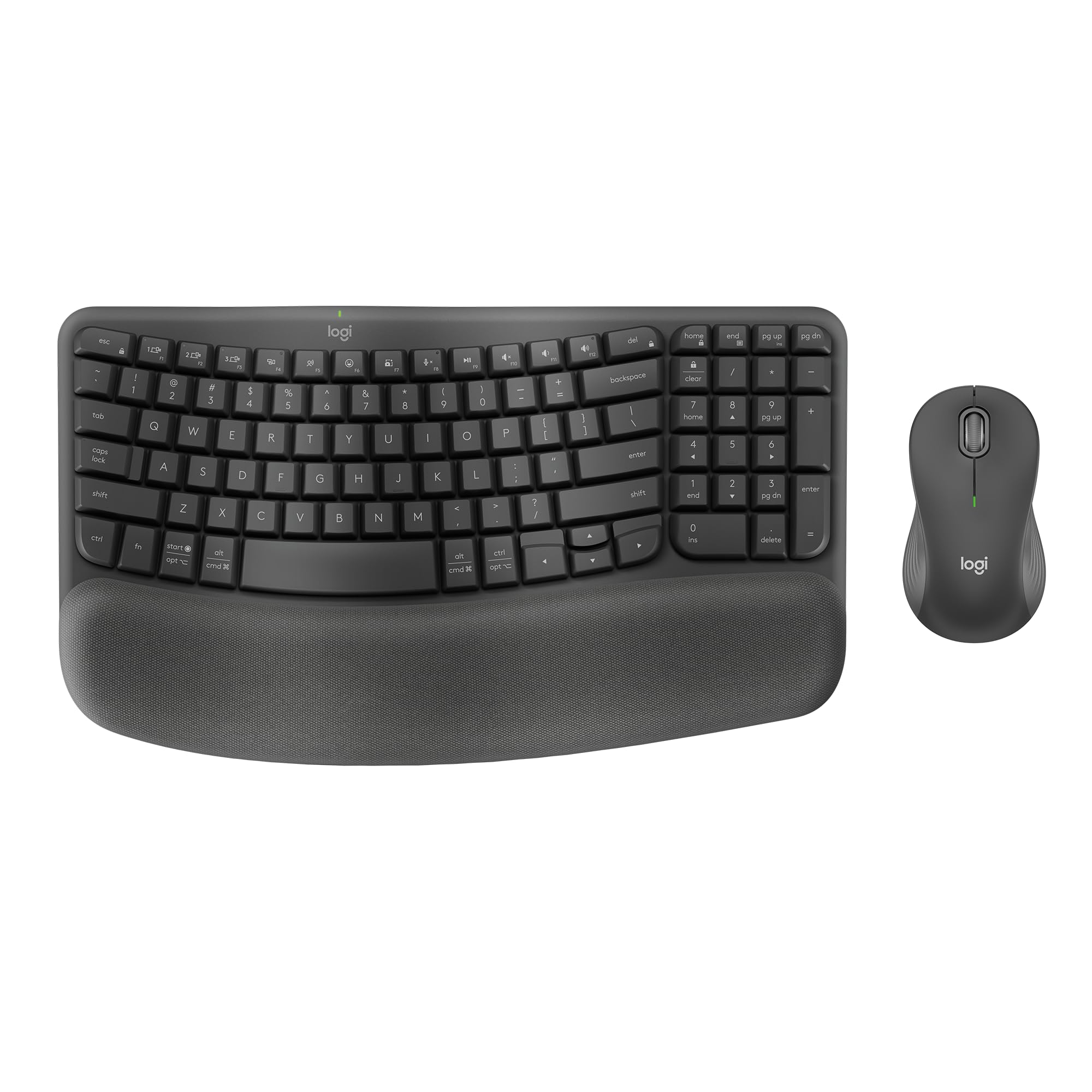


Best for Budget Basic Use
Logitech MK270
Key Features
- Connectivity: 2.4 GHz USB receiver
- Battery Life: Kbd 36mo, Mouse 12mo
- Keyboard Layout: Full-size w/ numpad
- Noise Level: Moderate
- Ergonomics: Basic
- Price: $
The MK270 drops the complexity of wireless peripherals: insert the USB receiver, and both keyboard and mouse work immediately — no pairing, no software. The keyboard’s battery is rated for 36 months, the mouse for 12, which means most users will forget they run on batteries at all. The full-size layout includes a numpad and eight multimedia keys, giving everyday tasks like volume control or playlist navigation a dedicated shortcut.
During typical office work — emails, documents, web browsing — the 2.4 GHz connection stays responsive. Where it can stumble is during fast, sustained typing: occasional keystrokes may not register or arrive with a slight delay. This is less a daily annoyance and more a boundary for anyone who types at speed for hours. The mouse tracks well on most surfaces, though the compact size suits medium hands best; larger hands may find it cramped over long sessions.
This combo makes sense for budget-conscious buyers who want a reliable-enough wireless setup for home or office use — no frills, no configuration, just working keys and a cursor. It is less suited for environments where every keystroke must land without exception, or for users who plan to depend on a single unit for critical work over several years. Quality control can be inconsistent: a minority of units may stop working within months, so purchasing from a retailer with a straightforward return policy is wise.
The sheer number of users who have bought and reviewed the MK270 gives it a breadth of real-world feedback few competitors match. For the price, it delivers the core promise of wireless convenience with long battery life and a spill-resistant keyboard — a combination that makes it the natural starting point for anyone seeking a no-hassle, low-cost input set.
Pros
- Extremely easy setup – plug-and-play works out of the box
- Great value for the price – delivers reliable basic functionality at a low cost
- Keyboard battery lasts up to 36 months; mouse up to 12 months — minimal maintenance
- Spill-resistant design adds peace of mind near desks with drinks
- Eight multimedia keys provide quick access to volume, playback, and shortcuts
Cons
- In some cases, the keyboard or mouse may stop responding after a few months — less of a concern with easy return policies
- Fast typists may notice occasional lag or missed keystrokes during rapid bursts — standard office work is rarely affected
For a straightforward wireless combo that covers the basics at a budget price, the MK270 is the safe default — just keep expectations realistic about long-term consistency and typing speed.
Best for Productivity Pro
Logitech MX Keys S
Key Features
- Connectivity: Bluetooth + Logi Bolt
- Battery Life: Rechargeable, weeks
- Keyboard Layout: Full-size, low-profile
- Noise Level: Quiet
- Ergonomics: Palm rest
- Price: $$$
The MX Keys S Combo stands apart from Logitech’s budget-friendly MK270 series with a solid, laptop-like keyboard that offers crisp tactile feedback and a comfortable low-profile design. The backlit keys adjust to ambient light, and the mouse features a MagSpeed scroll wheel that flicks through long documents or clicks into precision mode. Switching between three devices via Bluetooth or the included Logi Bolt receiver is near-instant, and the rechargeable battery lasts several weeks on a single charge.
This setup is built for professionals who type all day and need to hop between a laptop, desktop, and tablet without fumbling with cables or pairing menus. The high price reflects the premium materials and thoughtful engineering — but it’s a hard sell if you only need basic typing and pointing. A small number of units have exhibited left mouse click unresponsiveness or occasional lag, which is surprising at this price point. For those willing to spend for top-tier feel and workflow efficiency, the tradeoff is manageable; for budget-conscious users, Logitech’s MK270 covers the essentials at a fraction of the cost.
The MX Keys S Combo also includes Smart Actions — programmable shortcuts that can automate repetitive tasks — and the 8K DPI optical sensor tracks precisely on most surfaces. The keyboard’s scissor switches are quieter than typical mechanical boards, making them office-friendly. Over several weeks of use, battery life lived up to the claim, and the USB-C charging port is convenient for topping up overnight.
Pros
- Premium typing feel with low-profile scissor keys and excellent tactile feedback.
- Seamless Bluetooth switching between three devices with long battery life.
- Customizable backlighting that adjusts to ambient light for comfortable use in any environment.
Cons
- Very high price – difficult to justify if advanced features aren’t essential.
- Left mouse click may become unresponsive in some units, and occasional lag has been noted.
If you type for hours each day and value a refined, multi-device workflow, the MX Keys S Combo is the best-feeling wireless set Logitech makes — just be prepared for the premium cost and the small chance of a mouse defect.
Best for Quiet Office
Logitech MK295
Key Features
- Connectivity: 2.4 GHz USB receiver
- Battery Life: Kbd 36mo, Mouse 18mo
- Keyboard Layout: Full-size w/ numpad
- Noise Level: Silent
- Price: $$
The MK295 uses Logitech’s SilentTouch technology to cut typing and clicking noise by roughly 90% compared to standard wireless combos, with a soft, cushioned key press that feels almost marshmallow-like. This quietness is its defining advantage over the more popular, louder MK270 combo.
This combo fits office workers in noise-sensitive environments—open-plan offices, shared desks, or late-night home use. The mouse is noticeably compact, which suits smaller hands but may cause discomfort over extended use for those with larger palms. Additionally, a small number of units have been reported to stop working within the first few months, so checking return policies is wise.
The MK295 also offers exceptional battery life—keyboard up to 36 months, mouse up to 18 months—and a spill-resistant design that adds peace of mind near coffee cups. These practical features support its role as a quiet, low-maintenance office tool.
Pros
- Near-silent typing and clicking – reduces noise by 90% compared to standard combos.
- Soft, cushioned key press provides a satisfying tactile experience.
- Long battery life – keyboard lasts up to 36 months, mouse up to 18 months.
Cons
- Compact mouse size can be uncomfortable for users with larger hands.
- Some units may experience the keyboard or mouse ceasing to function within the first few months.
If quietness is your top priority and you have smaller hands, the MK295 is the most suitable office combo in Logitech’s lineup. For larger hands or those wary of reliability, the MK270 offers a safer, more versatile alternative.
Best for Wrist Comfort
Logitech Wave Keys
Key Features
- Connectivity: Bluetooth + Logi Bolt
- Battery Life: Mouse 24mo, Kbd —
- Keyboard Layout: Compact wave w/ numpad
- Noise Level: Quiet
- Ergonomics: Memory foam rest
- Price: $$
The Wave Keys’ curved layout and cushioned palm rest target wrist pain directly, offering an ergonomic alternative to flat keyboards at a mid-range price. Unlike over-$300 wave designs with similar ergonomics, this combo pairs the shape with a comfortable mouse for a fraction of the cost.
This combo suits users with smaller hands who experience wrist fatigue and want a quiet desk setup. The compact 99-key layout includes a numpad but may feel cramped for those with larger hands. Connectivity via Bluetooth can drop occasionally; using the Logi Bolt receiver improves stability.
Both keyboard and mouse operate with minimal noise, making them suitable for shared offices or late-night work. The mouse lasts up to 24 months on a single AA battery, reducing maintenance. Comfort and silence remain the primary draws here.
Pros
- Comfortable wave shape and memory foam rest reduce wrist strain during long typing sessions.
- Near-silent keys and mouse clicks keep shared workspaces undisturbed.
- Compact 99-key layout with numpad fits tighter desks without sacrificing number entry.
Cons
- Compact size may feel cramped for those with larger hands.
- Bluetooth connection can drop intermittently; using the included receiver reduces this.
- In some cases, individual keys may stop responding after months of use.
For typists who value wrist comfort and silence over a full-size layout, this combo offers a well-priced ergonomic solution – just keep a Logi Bolt receiver handy for stable connectivity.
Best for Budget Gaming
Redragon S101M-KS
Key Features
- Connectivity: Tri-mode (2.4G, BT, USB-C)
- Battery Life: Kbd 300hrs, Mouse —
- Keyboard Layout: Full-size w/ RGB
- Noise Level: Moderate
- Price: $$
Tri-mode connectivity (2.4G, Bluetooth, USB-C) and customizable RGB backlighting at a mid-range price point set this Redragon combo apart from standard office-focused wireless sets. The 4800 DPI mouse provides high sensitivity for gaming, and the full-size layout includes a numpad and ten dedicated multimedia keys for convenience.
This setup appeals to gamers on a budget who want wireless freedom and programmable keys. However, durability is mixed — some mice can develop tracking issues within months, and the keyboard build quality reflects its budget price point. For general productivity use where long-term consistency matters more than flashy features, the top pick offers a more predictable experience.
Keyboard battery life reaches up to 300 hours with RGB off, which supports daily use without frequent charging. The mouse shape may not suit all hand sizes, and the RGB lights remain active when plugged into a powered USB port — something to consider in dark rooms.
Pros
- Tri-mode connectivity offers flexibility between wired, wireless, and Bluetooth setups.
- Customizable RGB backlighting with multiple patterns enhances visual appeal.
- 4800 DPI mouse provides high sensitivity for gaming and precision tasks.
- Dedicated multimedia keys allow quick control of media playback.
Cons
- Some mouse units may develop tracking issues after a few months of use.
- Keyboard build quality feels budget; individual keycaps can become unresponsive over time.
For budget gamers who prioritize RGB and tri-mode connectivity over long-term durability, this combo delivers. For general productivity, the Logitech MK270 provides a more consistent experience.
Best for Large Hands Multi
Logitech MK955
Key Features
- Connectivity: Bluetooth + Logi Bolt
- Battery Life: Rechargeable, weeks
- Keyboard Layout: Full-size slim laptop
- Noise Level: Quiet
- Ergonomics: Comfort large hands
- Price: $$$
Where the quietest budget combos force a small mouse, the MK955 delivers a full-size, comfortable shape for larger hands — without sacrificing the near-silent operation that makes quiet keyboards useful in shared workspaces. The SmartWheel and programmable keys add workflow flexibility for users who switch between typing, scrolling, and shortcut-heavy tasks.
This combo suits professionals who work across multiple devices and want a single quiet, rechargeable setup that fits larger hands comfortably. The very shallow key travel will feel unnatural for anyone accustomed to traditional mechanical or scissor-switch keyboards — better suited to light typing than heavy data entry. And while the build feels solid out of the box, a small number of units may develop mouse click issues after several months of daily use, something to factor in if longevity is a top concern.
Pros
- Quiet typing and clicking that keeps shared workspaces free of noise
- Palm-friendly shape with ample surface area for larger hands
- Seamless switching between three devices via Bluetooth or Logi Bolt
- USB-C rechargeable battery lasts weeks between charges
Cons
- Very shallow key travel may feel unnatural for those accustomed to deeper strokes
- Some units may develop mouse click issues after several months of regular use
- Premium price is debatable for basic productivity needs
If a quiet, large-handed comfort setup matters more than traditional key feel, the MK955 delivers — just keep an eye on long-term mouse durability.
Best for Palm Rest Budget
Logitech MK345

Key Features
- Connectivity: 2.4 GHz USB receiver
- Battery Life: Kbd 36mo, Mouse 18mo
- Keyboard Layout: Full-size w/ palm rest
- Noise Level: Loud
- Ergonomics: Palm rest
- Price: $$
The MK345 delivers a full-size keyboard with a built-in palm rest and cushioned keys that make extended typing comfortable — a rare feature at this price point. The included mouse offers long battery life, with the keyboard lasting up to 36 months on two AAAs.
The keyboard is louder than many alternatives, which can be noticeable in a shared office. Wireless connectivity can be intermittent, and some users may experience mouse cursor lag or sync loss. Compared to the top-selling Logitech MK270, this combo adds a palm rest but brings louder keys and a higher chance of connection hiccups.
Pros
- Integrated palm rest and soft key feel improve long-session comfort.
- Good value for a full-size keyboard and mouse combo with included palm rest.
- Long battery life — up to 36 months for keyboard, 18 months for mouse.
Cons
- Keyboard and space bar produce a noticeable clack in quiet rooms — not ideal for noise-sensitive spaces.
- Wireless connection may drop intermittently, particularly at range or through obstacles.
- Some units may cease to function within months, indicating possible quality control variation.
Best for budget-minded users who want a comfortable typing setup and can tolerate a louder keyboard and occasional wireless dropouts. Consider the MK270 if silent operation and rock-solid connectivity are priorities.
Best for Sleek Desk
Logitech MK470

Key Features
- Connectivity: 2.4 GHz USB receiver
- Battery Life: Kbd 36mo, Mouse 18mo
- Keyboard Layout: Compact w/ numpad
- Noise Level: Silent
- Price: $$
The Logitech MK470 stands out for its slim, modern design and ultra-quiet scissor keys — a good match for anyone who wants a clean, near-silent desk setup. The compact layout with numpad keeps the footprint small without sacrificing number entry, and the battery life (36 months on the keyboard, 18 on the mouse) means infrequent swaps.
That style-first approach comes with compromises: some units may develop connectivity drops or key failures within months, and the occasional typing lag is noticeable for faster typists. For those who need a rugged daily driver or zero input delay, the quieter sibling MK295 offers better reliability in the same noise category.
Pros
- Near-silent keystrokes suit open offices and quiet home spaces.
- Slim profile and graphite finish reduce visual clutter on the desk.
Cons
- Some units may experience connectivity drops or key failures within months of use.
- Typing lag can be noticeable for fast typists, making it less suited for rapid input.
Best for users who prioritize desk aesthetics and quiet operation over long-term reliability and lag-free typing.
Best for Bluetooth Travel
Logitech MK250

Key Features
- Connectivity: Bluetooth only
- Battery Life: Kbd 12mo, Mouse 12mo
- Keyboard Layout: Compact w/ numpad
- Noise Level: Moderate
- Price: $
The MK250 is built for people who want to ditch the dongle and keep things minimal. Pairing via Bluetooth is quick, and the compact keyboard with numpad fits into tight workspaces. At a budget-friendly price, it’s a straightforward travel companion. That said, the Bluetooth connection can drop out without warning, and the small mouse and cramped keyboard won’t suit anyone with larger hands or a preference for full-size keys. This combination works best as a spare or for short sessions on the go, not as a daily driver for heavy typing or mission-critical tasks.
Pros
- Pairing is fast and dongle-free — works with laptops and tablets alike.
- Good value for a Bluetooth-only combo at an entry-level price.
Cons
- Compact keyboard and small mouse feel cramped for users with larger hands.
- Intermittent Bluetooth disconnections may interrupt workflow in a quiet office setting.
Carry this for occasional typing on the road or as a backup set — but not for a desk where every keystroke and click needs to land without hesitation.
Best for Business Secure
Logitech MK650

Key Features
- Connectivity: Logi Bolt + Bluetooth
- Battery Life: Mouse 24mo, Kbd 36mo
- Keyboard Layout: Full-size w/ palm rest
- Noise Level: Quiet
- Ergonomics: Palm rest
- Price: $$
The MK650 delivers nearly silent typing and a contoured mouse that help maintain focus during long workdays, with Logi Bolt encryption adding a layer of security for managed deployments. Where it stumbles is responsiveness—occasional lag or unresponsive keys can disrupt flow, particularly in fast-paced tasks—and its mid-range price puts it above simpler combos. This makes it a fit for IT teams who prioritize secure, quiet hardware over absolute real-time precision.
Pros
- Nearly silent keyboard and mouse suit open-plan offices without disturbing coworkers.
- Soft-touch keycaps and a contoured mouse reduce hand fatigue during extended use.
- Extended battery life (36 months keyboard, 24 months mouse) limits downtime for replacements.
Cons
- Bluetooth or Logi Bolt connection stability can vary in environments with heavy wireless interference.
- In fast-paced typing or mouse-intensive work, occasional input lag may be noticeable.
A solid option for IT administrators deploying multiple units where Logi Bolt security and quiet comfort are priorities, provided you can accept occasional responsiveness hiccups.
Best for Feature Mid-Range
Logitech MK540
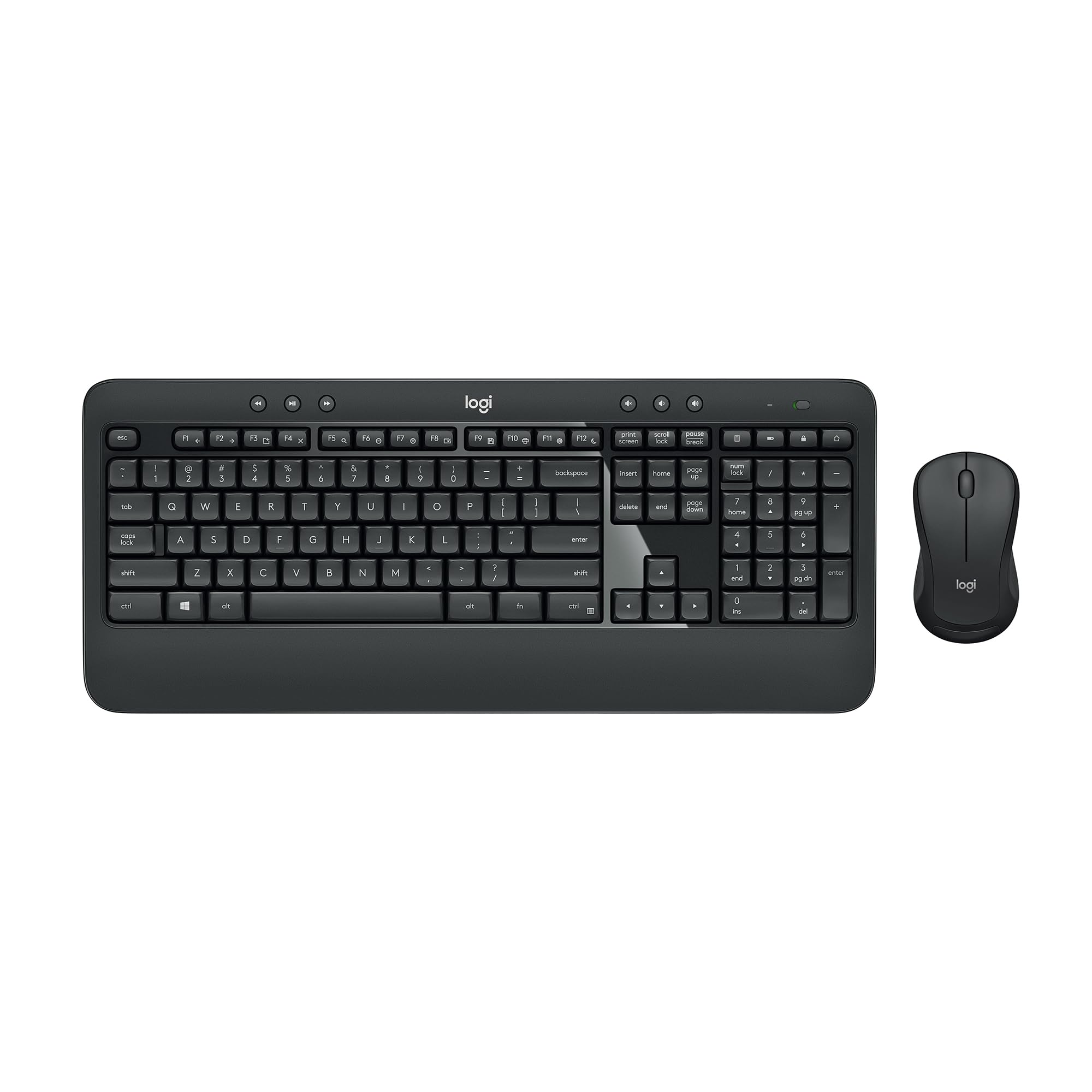
Key Features
- Connectivity: 2.4 GHz Unifying
- Battery Life: Kbd 36mo, Mouse 18mo
- Keyboard Layout: Full-size w/ palm rest
- Noise Level: Quiet
- Ergonomics: Palm rest
- Price: $$
The Logitech MK540 delivers a comfortable typing experience with soft, quiet keys and a padded palm rest, plus dedicated media hotkeys and a Unifying receiver that keeps desktop clutter down. Battery life stretches years, and the spill-resistant keyboard adds peace of mind. Yet some units may exhibit intermittent keyboard dropouts or occasional input lag, and the wireless connection can be temperamental in certain setups. These quirks prevent it from unseating the simpler MK270 or the quieter MK295 as the go‑to recommendation, but if typing comfort and media controls matter more than absolute rock‑solid connectivity, this combo fits well.
Pros
- Comfortable typing with soft, quiet keys and padded palm rest.
- Dedicated multimedia hotkeys and Unifying receiver for easy multi-device setup.
- Long battery life — keyboard up to 36 months, mouse 18 months.
Cons
- In a fast typing session, the keyboard may stop responding momentarily.
- Occasional input lag can interrupt workflow, especially with rapid keystrokes.
Best for office workers who prioritize typing comfort and media shortcuts and can accept occasional connectivity hiccups.
How to Choose
The keyboard and mouse combo that feels great in the store may develop connectivity issues or battery drain within months — your real test is how it holds up after daily use.
Connectivity Type
2.4 GHz dongles offer the most reliable, low-latency connection for productivity tasks, but they require a free USB port and the dongle is easy to lose. Bluetooth is convenient for multi-device switching and dongle-free travel, but can suffer from interference and occasional reconnection hiccups.
If you work in a dense wireless environment (office with many devices), a 2.4 GHz connection typically holds up better. Bluetooth is fine for home use with few nearby signal sources.
Battery Life
Manufacturers advertise 2–3 year battery life for keyboards and 12–18 months for mice, but real-world use often cuts that in half. The mouse, especially, drains faster because of constant movement and sensor power.
Look for a physical on/off switch — many users report that leaving the mouse on overnight significantly shortens battery life. Rechargeable models eliminate battery swaps but require remembering to charge, usually via USB-C.
Keyboard Layout
Full-size keyboards with a numpad are essential for data entry and spreadsheet work, but they take up desk space. Compact layouts (without numpad or with 90% size) save room and are more portable, but can feel cramped for larger hands.
For travel-friendly setups, a compact Bluetooth combo like the MK250 is ideal. For all-day office work, a full-size layout with a palm rest reduces fatigue.
Noise Level
Keyboard noise is often overlooked until it becomes a problem in shared spaces. Membrane keys are generally quieter than mechanical, but some combos (like the MK345) have loud space bars or keys that annoy nearby colleagues.
If you work in an open office or share a desk, prioritize combos with SilentTouch technology or similar dampening. These keyboards reduce noise by up to 90% while maintaining a soft, cushioned feel.
Ergonomics
A palm rest and adjustable tilt legs make a measurable difference in wrist strain during long typing sessions. The Logitech Wave Keys and MK345 include built-in palm rests, while many budget combos omit them entirely.
Mouse shape matters: ambidextrous mice are typically smaller and suit most hand sizes, but larger hands benefit from contoured, right-hand-specific designs. If you experience wrist pain, an ergonomic wave keyboard can provide relief, though it takes time to adapt to the layout.
FAQ
Why does my Logitech wireless keyboard keep disconnecting after a few months?
Common causes include weak batteries in the keyboard or mouse, interference from metal surfaces or other wireless devices, or a failing USB receiver. Try replacing the batteries first; if the issue persists, move the receiver closer to the devices and avoid placing it on a metal desk. If still happening, the unit may be defective — check warranty options.
Can I use a wireless keyboard and mouse combo for gaming?
Casual gaming is fine, but low-latency wired or dedicated gaming peripherals offer better responsiveness for competitive play. Most combos here use 2.4 GHz, which provides acceptable latency for most gamers. Look for higher polling rates (1000 Hz) and adjustable DPI if gaming is a priority — the Redragon S101M-KS is a good budget option.
How long does a wireless keyboard battery actually last in real use?
Manufacturer claims of 2–3 years assume light use and optimal battery storage. In practice, many users replace batteries every 6–12 months, especially for the mouse which drains faster due to constant movement. A physical on/off switch can extend battery life significantly. Rechargeable models like the MX Keys S last several weeks per charge.
What should I do if I lose the USB receiver for my Logitech combo?
If the combo uses Logitech’s Unifying receiver, you can buy a spare and pair it using Logitech Options+ software. For standard non-Unifying dongles, replacements are nearly impossible because each dongle is paired at the factory. Store the dongle in the battery compartment or tape it to the underside of the keyboard to prevent loss.