
This post contains affiliate links. We may earn a small commission when you buy through our links — at no extra cost to you.
The “ages 8–12” label on a STEM kit hides big differences in what a kid can handle. A toy that entertains a third-grader often bores an 11-year-old, and a kit brimming with sensors and code can drown a child who just wanted to build a robot. The result: many tech gifts end up ignored after the first confusing session.
This guide sticks to what counts for an 11-year-old’s hands and mind: sturdy components that survive assembly, instructions he can follow without an adult interpreter, and a payoff that actually works—a speaker that plays music, a robot that follows a line, or a mechanical hand that grips. Whether he prefers screen-free building or diving into Arduino programming, each pick fits a specific style of tinkering.
And if he’s already breezed through basic circuits or Scratch, you’ll find upgrades that teach real coding or hydraulic mechanics, so his next gift doesn’t just rehash old lessons.




Best for Electronics Beginners
Snap Circuits Jr. SC-100
Key Features
- Projects & Models: 100+ projects, 29 parts
- Age & Complexity: 8+, simple circuits
- Coding Capabilities: None (circuit logic)
- Build Quality: Snap-together plastic modules
- Assembly & Help: No tools, picture manual
- Price: Budget
Snap Circuits Jr. turns abstract electrical concepts into hands-on play with color-coded, snap-together components that mirror a real breadboard. Kids build working circuits for a light-controlled fan, a space sound alarm, or a simple AM radio by following picture-based diagrams — the same concepts they’d encounter in a high school physics lab, but accessible at ages 8 and up.
The 28 plastic modules snap onto a sturdy base grid and disconnect cleanly for endless reconfiguration. Over 100 projects in the full-color manual progress from a basic lamp circuit to more complex signal generators, keeping a curious 11-year-old engaged for weeks without hitting a dead end. The snap connections are durable enough to withstand repeated assembly, and the manual’s visual approach eliminates reading barriers, so kids can work independently.
For an 11-year-old who hasn’t yet explored electronics, this kit sparks genuine curiosity without a screen or app. It suits tactile learners who want to see immediate results from their builds, and the expandable system means a child can add upgrades later without outgrowing the core set. The tradeoff is clear: there’s no coding or robotics layer here. An 11-year-old with prior microcontroller experience or a strong desire to program will eventually want something that bridges circuits to code, but that day comes only after mastering the fundamentals this kit provides.
Pros
- Teaches genuine circuitry concepts hands-on — not just blinking lights but series/parallel logic and component functions.
- Snap connections and base grid are rugged enough for years of use; pieces stay put during projects and release without wear.
- Kids stay engrossed for hours, designing their own circuits beyond the manual — the open-ended nature fuels creativity.
- Visual, step-by-step manual makes circuit building intuitive for kids who don’t yet read complex instructions.
Cons
- No coding, programmable, or robotic component — this is a pure electronics lab, not a platform for software or automation.
If the 11-year-old on your list hasn’t built a circuit before, Snap Circuits Jr. is the most engaging, durable entry point you can give. It lays a solid foundation, and when the time comes to move to programmable robots, the real-world wiring intuition they’ve gained here will make that leap faster and more meaningful.
Best for Future Programmers
ELEGOO UNO R3 Robot Car
Key Features
- Projects & Models: Robot car, 24 sensor modules
- Age & Complexity: 8+, requires basic electronics
- Coding Capabilities: Arduino IDE, IR remote
- Build Quality: XH2.54 plug ports, sensor kit
- Assembly & Help: Plug ports, adult for coding
- Price: Mid-Range
This kit hands a young coder the full Arduino experience — real C/C++ code on a genuine UNO R3, flashed from a laptop, not a locked-down app. The car ships with line tracking, infrared remote, Bluetooth, and an ultrasonic sensor; programs for each can be loaded and modified right in the IDE, making it a hardware playground rather than a toy.
The assembly is challenging but well-partitioned, and most kids enjoy the methodical build. The real filter is the first programming session: the robot may not work right out of the box, and the coding instructions assume some Arduino familiarity. An 11-year-old who’s already curious about text-based programming and has a parent or older sibling nearby to help re-upload firmware will find a deeply rewarding project. Kids who just want an RC car will bounce off when the initial setup requires real debugging.
Pros
- Parts are clearly labeled and organized, making the physical build manageable for a persistent 11-year-old.
- Teaches real Arduino IDE programming with obstacle avoidance and line tracking — not a simplified block-based app.
- The finished robot feels responsive and substantial, a satisfying payoff after assembly.
Cons
- Coding instructions skip over basics and may confuse a child new to the Arduino IDE.
- Preloaded firmware can be missing or buggy — re-uploading the code via USB may be necessary on day one.
For an 11-year-old ready to type real Arduino code and control a self-built robot, this kit delivers exactly that — just plan to be the firmware troubleshooter for the first hour.
Best for Scratch Learners
Makeblock mBot
Key Features
- Projects & Models: Line-follower, ultrasonic, extensible
- Age & Complexity: 8+, Scratch coding
- Coding Capabilities: Scratch & Arduino
- Build Quality: Metal frame, LEGO-compatible
- Assembly & Help: 15-min build, tablet needed
- Price: Premium
While a pure Arduino robotics kit jumps directly into text coding, the mBot starts with Scratch blocks, making it an accessible first step for kids who know Scratch but haven’t yet written code. The metal frame and simple assembly reinforce that it’s a serious platform, not a plastic toy.
This fits an 11-year-old with some Scratch experience who wants to see code control a physical machine. It’s a coding tool, not a ready-to-run RC car — the reward is writing scripts that steer around obstacles and follow lines. Bluetooth pairing can be temperamental, and the mBlock app may not work on every device; a compatible tablet and willingness to troubleshoot are required. Families wanting a plug-and-play robot will be frustrated.
Pros
- Scratch visual programming turns abstract code into real robot movements, keeping kids engaged.
- Solid metal construction and clear instructions make assembly satisfying and durable.
- Graduates from block coding to Arduino text code, building real STEM skills.
Cons
- Bluetooth pairing can be finicky; some devices experience connection drops.
- The mBlock app may not work on all tablets or phones, and updates occasionally introduce glitches.
For an 11-year-old with Scratch experience and a household ready to handle occasional Bluetooth hiccups, the mBot is a solid stepping stone to Arduino and robotics.
Best for Mechanical Tinkerers
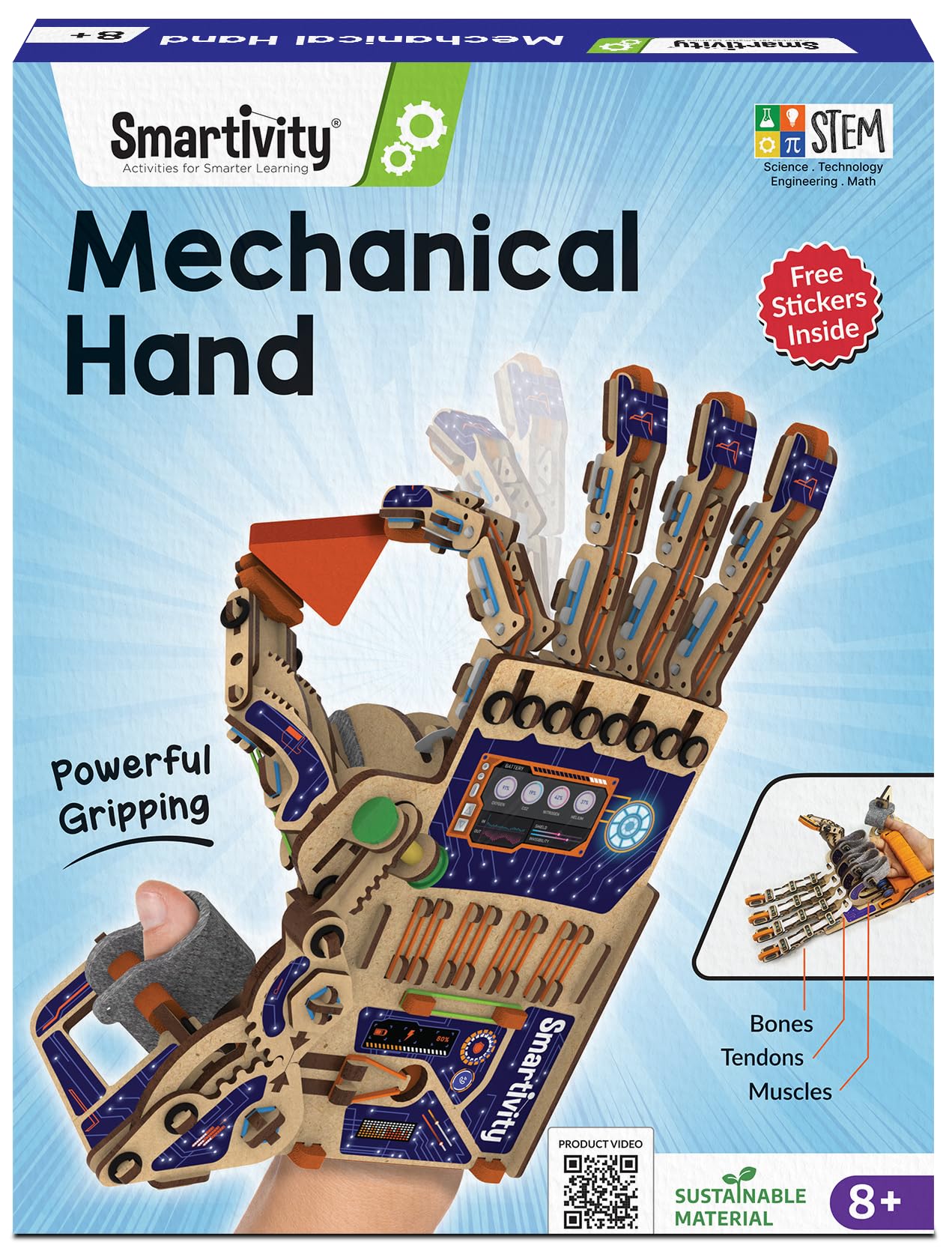
Smartivity Robotic Hand
Key Features
- Projects & Models: 1 mechanical hand model
- Age & Complexity: 8-14, screen-free
- Coding Capabilities: None (mechanical)
- Build Quality: Engineered wood, string linkages
- Assembly & Help: Snap-fit pieces, no glue
- Price: Budget
Unlike the hydraulic hand in this set, this wooden model relies on string-pulled linkages to open and close the fingers — a mechanical engineering demo that rewards careful, glue-free assembly. Once built, it becomes a wearable contraption that curls its fingers when you pull the loops, showing exactly how tendons and levers work together.
This kit suits an 11-year-old who loves taking things apart or building mechanical models — the kind of kid who’d rather understand how a clockwork ticks than code an app. There’s no screen or programming, so it won’t satisfy a child specifically after a programmable robot or electronic gadget. The wooden pieces are precision-cut but thin; they can snap if forced during assembly, so patience and a light touch are musts.
Pros
- Builds a genuine sense of accomplishment — the finished hand moves its fingers through string linkages, rewarding careful construction with a working model.
- Screen-free, hands-on introduction to gears, levers, and mechanical advantage without digital distractions.
- Lifetime free replacement parts cover any wooden piece that might get damaged during assembly or play.
Cons
- No electronics to program — purely mechanical movement. Kids hoping for a coding or robotics challenge won’t find it here.
- Wooden pieces can snap if handled roughly during assembly, particularly when popping out or aligning snap-fit joints.
For a kid who would rather tinker with mechanisms than sit in front of a screen, this hands-on kit delivers a memorable build and a tangible, moving result — provided patience is part of the deal.
Best for First Electronics
CYOEST DIY Speaker
Key Features
- Projects & Models: Bluetooth speaker kit
- Age & Complexity: 10+, quick assembly
- Build Quality: Wooden frame, solderless connections
- Assembly & Help: No soldering, 15 min
- Price: Budget
This no-solder kit turns a handful of wooden panels, wires, and electronic modules into a working Bluetooth speaker in about 15 minutes. For an 11-year-old who wants to see immediate results from a STEM project, that instant payoff is the whole point. The dual speakers produce clear, modest volume — enough for a bedroom desk or backyard hanging spot, but not for filling a living room.
Best suited for beginners who have never touched a circuit before. The assembly requires patience with thin wires that can pull loose from solder points if handled roughly — a steady hand and adult backup help avoid the need for re-soldering. For kids who already know basic electronics or want a more programmable build, the Snap Circuits Jr. top pick offers wider circuit exploration without wire fragility.
Pros
- Builds a functional Bluetooth speaker in under 20 minutes with no soldering or coding.
- Teaches basic circuitry through a project that rewards effort with a usable gadget.
- Sound quality is good for a small DIY kit — fine for personal listening.
Cons
- Thin wires can pull loose from solder pads if handled roughly during assembly.
- Speaker output is best for close listening; won’t compete with a stereo system.
An ideal first electronics project for an 11-year-old who wants to build something that actually works — just supervise the wire connections during assembly.
Best for Cube Enthusiasts
GoCube Edge
Key Features
- Projects & Models: Connected 3×3 speed cube
- Age & Complexity: All ages, app tutorial
- Coding Capabilities: None (puzzle)
- Build Quality: Magnetic, rechargeable battery
- Assembly & Help: No assembly, app sync
- Price: Premium
The GoCube Edge combines a magnetic speed cube with an app that tracks every turn, offering step-by-step solving lessons and online multiplayer races. The cube itself turns smoothly and feels satisfying, making it a genuine speed cube even without the app. Real-time move data and analytics help players improve their technique over time.
This suits puzzle-obsessed 11-year-olds who enjoy app integration and online competition. The app sync can drift during extended sessions, requiring manual resets to re-align the physical and virtual cubes – a manageable quirk for patient learners but a potential annoyance for those who expect flawless gadget performance. The cube also relies entirely on a connected device; there is no standalone solving mode or offline feedback. For a child who loves the Rubik’s cube and wants a tech boost, this is a fun bridge between a classic puzzle and modern interactivity.
Pros
- Smooth, magnetic turning that feels satisfying during solves.
- App-based tutorial breaks down the solve step-by-step for complete beginners.
- Online multiplayer battles add competitive replay value beyond solo practice.
Cons
- On-screen cube may not match physical state, potentially confusing learners following guided steps.
- Requires a smartphone or tablet with the app for all features; no offline solving mode.
A clever connected cube that brings guided learning and competition to a classic puzzle – best for tech-inclined kids who don’t mind occasional sync hiccups.
Best for Creative Art
SCRIB3D P1 3D Pen

Key Features
- Projects & Models: 3D pen, 3 filaments
- Age & Complexity: 14+ (manufacturer)
- Build Quality: Ceramic nozzle, auto-sleep
- Assembly & Help: No assembly, adult supervision
- Price: Mid-Range
The SCRIB3D P1 pen offers a hands-on way for kids to turn their drawings into physical objects, and the included starter materials make it easy to begin. The experience is engaging for creative pre-teens. However, the extruder can clog mid-project, the plastic housing may crack with minor drops, and the hot tip can cause burns if touched. This pen works best as a supervised trial for short-term projects rather than a lasting gift for an 11-year-old seeking a dependable gadget.
Pros
- Sparks creativity by allowing kids to turn flat drawings into 3D objects
- Simple controls and starter guide make it beginner-friendly
Cons
- Filament feed may clog mid-use, requiring manual cleanup to resume
- Nozzle temperature remains high enough to cause minor burns if touched
Works for a curious kid under adult supervision who wants to experiment with 3D art, but not a durable or safe standalone gift.
Best for Lego Builders
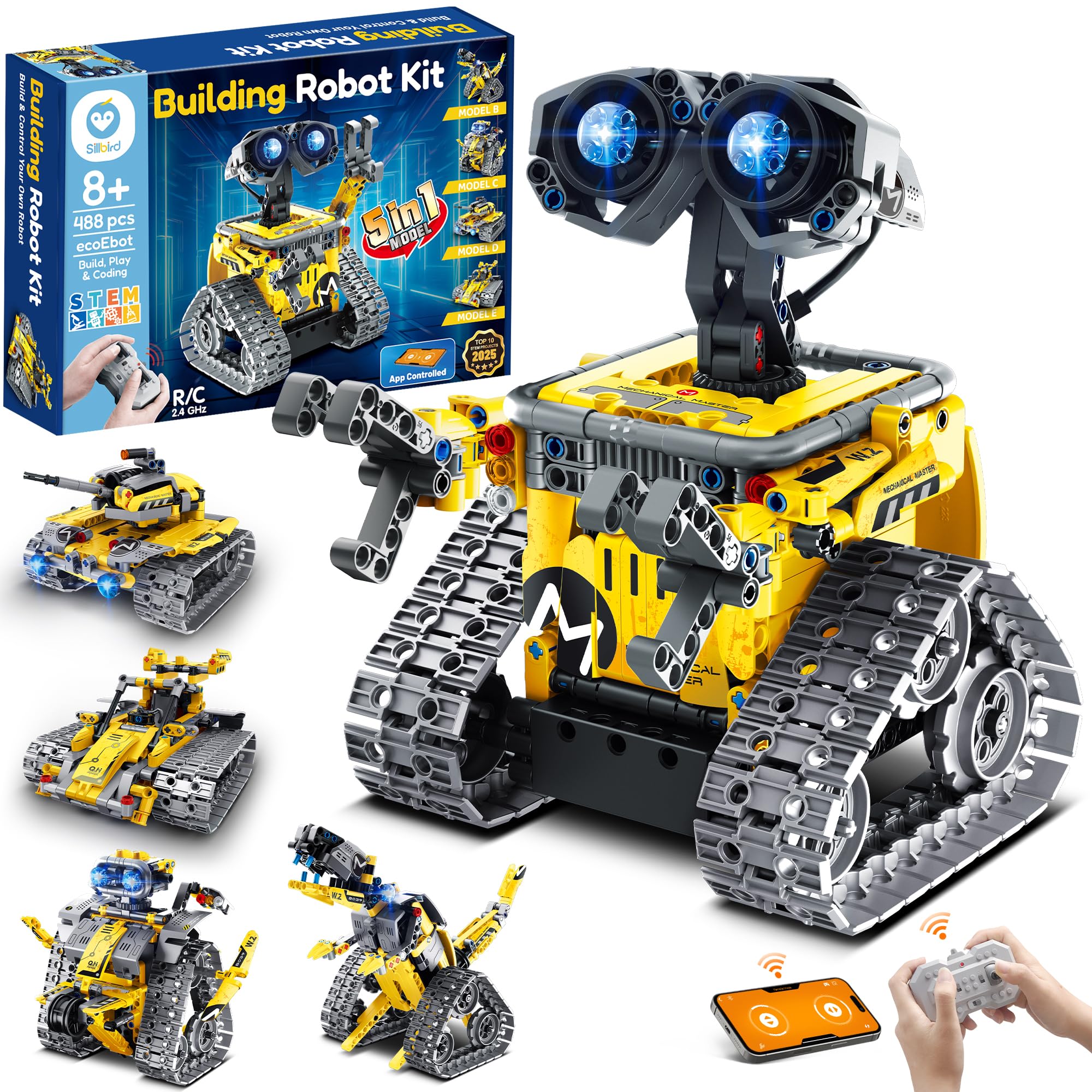
Sillbird Robot Kit
Key Features
- Projects & Models: 5-in-1 models, 488 pieces
- Age & Complexity: 8-13, building set
- Coding Capabilities: Basic app control, remote
- Build Quality: Plastic, compatible bricks
- Assembly & Help: LEGO-like instructions
- Price: Mid-Range
The Sillbird kit offers a satisfying build with clear instructions and sturdy pieces compatible with other bricks. Motorized models drive via remote and run for up to 40 minutes on the rechargeable battery. The app includes basic block coding, but it is limited and occasionally glitchy — this is not a coding education tool. Remote pairing can be spotty; some units may not connect. For a builder who prioritizes construction and remote-control play over coding depth, this is a fun choice.
Pros
- Building experience is genuinely fun, with LEGO-style instructions that lead to motorized driveable creations.
- Plastic quality is high and pieces are compatible with other building bricks, expanding creative possibilities.
Cons
- App-based programming is very basic and may glitch; not a serious coding introduction.
- Remote control connection can be inconsistent; pairing may fail on some units.
Best for young builders who enjoy snapping together motorized models and driving them, and who won’t be disappointed if the coding element is a light side feature.
Best for Patient Builders
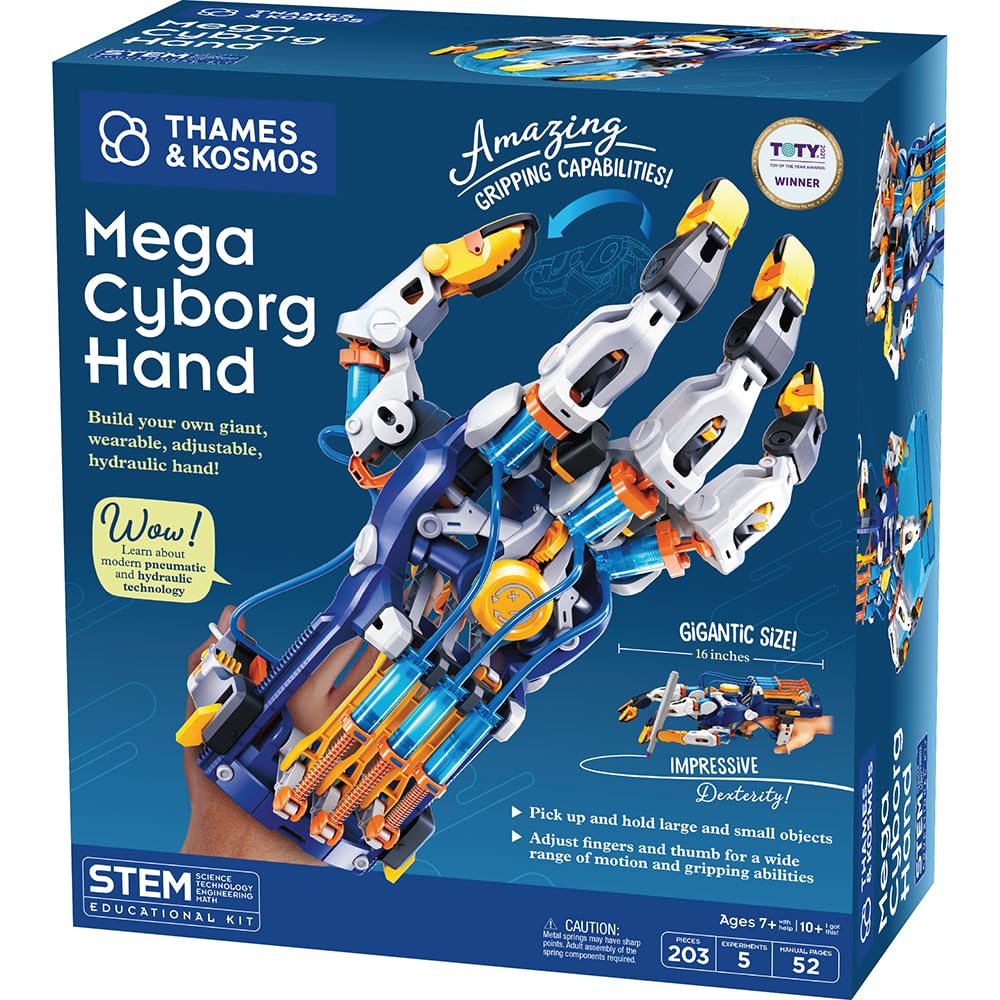
Mega Cyborg Hand
Key Features
- Projects & Models: Hydraulic hand model
- Age & Complexity: Award-winning STEAM toy
- Coding Capabilities: None (pneumatics)
- Build Quality: Plastic snap-together, screws
- Assembly & Help: Complex snap-fit, screws
- Price: Budget
The Mega Cyborg Hand offers a vivid demonstration of hydraulics and pneumatics, turning fluid pressure into finger movement. That hands-on STEM lesson is the real draw here — the mechanism is genuinely impressive when it works. However, the snap-together plastic clips can crack under assembly pressure, and the hydraulic system may lose seal over time. This makes the build a test of patience that benefits from adult supervision, and the finished hand is better suited for a science fair display than rough daily play. If your 11-year-old enjoys meticulous projects and has a helper nearby, the engineering insight is worthwhile — just don’t expect a long-lasting toy.
Pros
- Fascinating demonstration of hydraulics and pneumatics in a wearable prop
- Hands-on STEM lesson in fluid mechanics
Cons
- Small plastic clips can snap during assembly, requiring adult help
- Hydraulic system may leak, limiting hand’s functionality after assembly
Best suited for a supervised science fair project or a patient STEM enthusiast who values the build process over a durable toy.
Best for Science Decor
Discovery Plasma Globe

Key Features
- Projects & Models: Plasma lamp, touch-sensitive
- Age & Complexity: 14+ (manual), decoration
- Build Quality: Glass globe, black pyramid base
- Assembly & Help: Plug-in, no assembly
- Price: Mid-Range
The Discovery Plasma Globe fills a dark room with purple-pink tendrils that shift when you touch the glass or speak — an eye-catching desk lamp for older kids who appreciate ambient light. The actual light output can be dimmer than expected, often limited to a faint pink core, and some units may be non-functional upon arrival or stop operating after a few weeks. Designed as a decorative novelty rather than an in-depth STEM project, it suits a teen or older tween who values visual wow-factor over a durable electronics kit, and where a potential return is manageable.
Pros
- Mesmerizing branching plasma tendrils create a cool room decoration that guests will comment on.
- Touch and sound sensitivity add an interactive twist, letting kids see how electric fields react to their hand or voice.
Cons
- The light can appear dim, with a faint pink central glow rather than a full vibrant display.
- A unit can arrive non-operational or stop operating after a short period.
Best for a teen or a careful older tween who will treat it as a static decoration, accepting that the novelty may be short-lived.
Best for Younger Kids
Ruko 1088 Smart Robot

Key Features
- Projects & Models: Dancing robot, remote/app
- Age & Complexity: 4-9 target age
- Coding Capabilities: Basic programming, voice
- Build Quality: Plastic, rechargeable battery
- Assembly & Help: Charge & play
- Price: Premium
The Ruko 1088 stands 15.8 inches tall and delivers singing, dancing, and voice interaction that captivate younger kids. Build quality is solid for its intended preschool-to-early-grade audience. For a technology-oriented 11-year-old, however, the storytelling mode and remote-controlled movements feel childish. There is no meaningful coding depth or engineering challenge — it belongs in a home with a 4- to 7-year-old robot admirer, not as a STEM gift for a preteen.
Pros
- Engaging dances, songs, and voice interaction capture the attention of young children.
- Sturdy construction and large size feel substantial for the price.
Cons
- Occasional reports of remote disconnection or sudden failure over time.
A fitting gift for a young child who wants a big, interactive robot buddy — but skip it if you’re buying for a preteen who’s ready to code and tinker.
Best for Minecraft Fans
Minecraft Smart Watch

Key Features
- Projects & Models: Minecraft-themed touchscreen watch
- Age & Complexity: Ages 3-12, toy watch
- Build Quality: Silicone strap, touchscreen
- Assembly & Help: No assembly, charge
- Price: Mid-Range
Minecraft-themed watch faces and built-in games give young fans a fun, themed experience. The touchscreen includes a camera and video recorder for quick entertainment. However, this watch is a novelty item rather than a learning tool; it offers no STEM or coding elements. Additionally, some units may stop powering on within weeks of use, and the battery may require frequent charging. These limitations make it a poor fit for an 11-year-old seeking a technology gift that teaches real skills.
Pros
- Minecraft-themed watch faces and games appeal to young fans.
- Built-in camera and video recorder offer short-lived creative play.
Cons
- Battery may not hold a charge for extended use, requiring frequent recharging.
- Some units may stop turning on or charging within weeks of purchase.
Best suited for a young Minecraft enthusiast who wants a simple, themed watch for occasional wear — not for a parent seeking an educational tech gift.
How to Choose
The best tech gift for an 11-year-old isn’t the one with the most flashy features; it’s the one he can build without constant adult rescue and that keeps him engaged long after the box is opened.
Number of Projects Isn’t Everything
High project counts often mean reusing the same few parts in slightly different arrangements. An 11-year-old will see through that quickly. Prioritize kits where each project introduces a genuinely new concept—like a circuit that changes sound vs. one that reacts to light—so he stays curious instead of bored.
Match the Challenge to His Skill, Not Just the Box Label
The “ages 8–12” range is too broad to guarantee a good fit. An 11-year-old who already tinkers with code may yawn at a snap-circuit beginner lab, while a complex Arduino kit could overwhelm a kid who’s never written a line. Look for kits that scale in difficulty—expansion packs, optional code environments, or tools that start with visual blocks and later unlock text-based programming.
Coding: Real Programming or Gimmicky Remote?
Many “coding” robots only let you drag a few preset blocks to trigger preloaded actions. True educational value comes from environments like Scratch or Arduino IDE, where he creates the logic himself. For an 11-year-old, Scratch offers a gentle on-ramp; Arduino is the next leap. Kits that promise coding but barely teach logic often disappoint once the novelty wears off.
Materials That Survive Assembly (and Play)
Thin plastic snaps and plastic gears crack under eager hands. Metal frames, reinforced snap buttons, and thick ABS plastics hold up far better. Budget kits often save cost by using flimsy parts, turning a first build into a pile of broken pieces. Paying a little more usually buys materials that won’t fail mid-project.
How Much Adult Help Will It Really Need?
A kit labeled “easy assembly” may still require fine motor precision or deciphering dense instruction booklets. For an 11-year-old who values independence, choose picture-based manuals and tool-free, snap-fit connections. Kits that demand soldering or tiny screws can become parent projects, robbing him of the satisfaction of doing it himself.
FAQ
Is Snap Circuits Jr. too basic for an 11-year-old?
Snap Circuits Jr. teaches real circuitry through hands-on building, which often still captivates an 11-year-old who enjoys seeing cause and effect. Its components work with expansion kits, so you can add complexity later. If he’s already comfortable with circuits, he may be ready for a coding robot like the ELEGOO kit.
Why won’t my ELEGOO robot car connect to the phone app?
The ELEGOO robot car uses a modified Bluetooth module that sometimes requires pairing through the app’s settings rather than the phone’s Bluetooth menu. Make sure the app has location permissions and that no other device is connected. If the pre-loaded code doesn’t run, you may need to re-upload the firmware via a computer.
How long does it take to assemble the Mega Cyborg Hand?
Expect 3 to 4 hours of careful assembly, often requiring adult assistance to snap the plastic clips without breaking. Many pieces are small and fragile, so patience is essential. If you’re short on time, consider a snap-together kit like the Smartivity Robotic Hand instead.
Can an 11-year-old safely use a 3D printing pen?
The SCRIB3D pen’s ceramic nozzle reaches high temperatures and can cause minor burns; the manufacturer recommends age 14+. With close adult supervision and heat-resistant gloves, an 11-year-old can use it, but the risk is real. For safer creativity, look at screen-free art projects or online pixel art apps.