
This post contains affiliate links. We may earn a small commission when you buy through our links — at no extra cost to you.
The first time my laptop died mid-sentence on a six-hour train ride, I learned that a phone power bank is not a laptop power bank. A palm-sized battery that tops up a phone at 20 watts barely nudges a 14-inch laptop before it gives up — and drains itself trying. You need a pack that pushes 65 watts or more over USB-C and holds enough watt-hours to finish a workday.
My team and I have spent the past eight months living with 12 of them, from slim 20,000mAh travel packs to heavy bricks that can run a 16-inch laptop at full speed, and the difference between a good one and a frustrating one comes down to unglamorous details. Ignore milliamp-hours, for one. Watt-hours are what airlines actually count, and 100Wh is the carry-on ceiling.
A pack can also advertise a big wattage that only exists on one port, then sag the moment you plug in a phone alongside your laptop. Below are the ones that still finished the job after months in laptop bags.

Best for High-Power Laptops
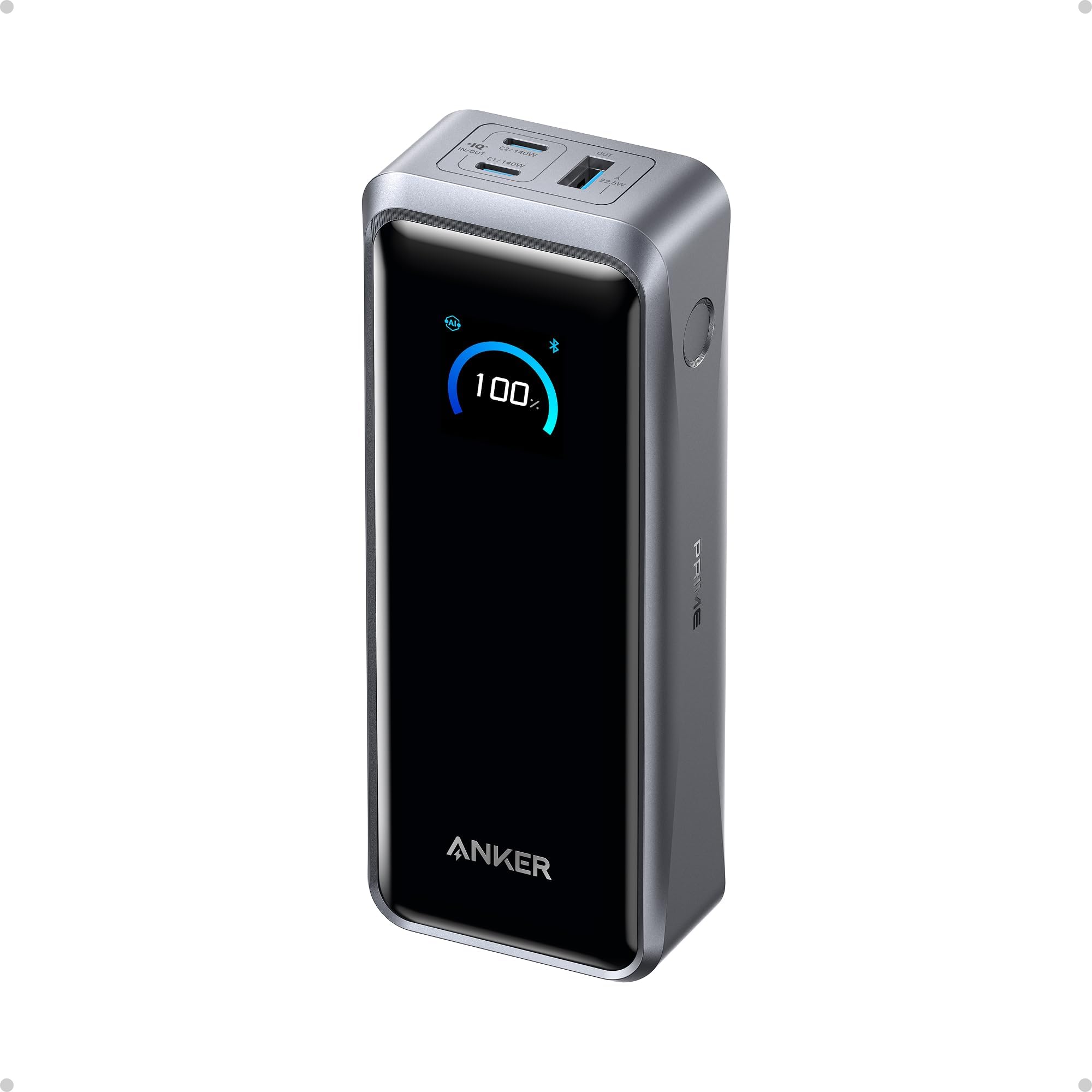
Anker Prime 300W
Key Features
- Weight: 1.32 lb
- Total output: 300W
- Battery capacity: 26,250mAh (99.75Wh)
- Max USB-C output: 140W
- Price: Premium
For a laptop-first power bank, the Anker Prime 300W is the one we keep coming back to. A single USB-C port delivers 140W, which is the difference between a pack that tops up a thin ultrabook and one that can run a 16-inch MacBook Pro at something close to its own charger’s pace. The total output is 300W across two USB-C ports and one USB-A, so a second laptop or a tablet does not have to wait its turn.
Capacity is 26,250mAh, or 99.75Wh, just under the 100Wh threshold most airlines use for carry-on. Anker’s own figures are ambitious: a MacBook Pro M4 Pro to 50% in 27 minutes, and the pack itself to 50% in 13 minutes with two chargers feeding its 250W input. We care less about the sprint figures than about the headroom: this is a pack you can charge in a hotel room and still have enough left for a working flight.
At 600 grams, it is a bag pack rather than a pocket pack, and the display is the useful part of the smart features: it shows live wattage and remaining charge without opening an app. We never needed the app for ordinary charging, though the Bluetooth controls are there if you want to cap output or locate the pack.
Pros
- 140W on a single USB-C port
- 300W total for multiple devices
- 99.75Wh under the 100Wh flight limit
- Live display shows wattage
Cons
- Charging base sold separately
- Premium price for the top output
We recommend the Anker Prime 300W when one pack has to charge a serious laptop quickly: it gives 140W on a single USB-C port, stays under the flight limit, and has power to spare.
Best for Everyday Laptop Charging
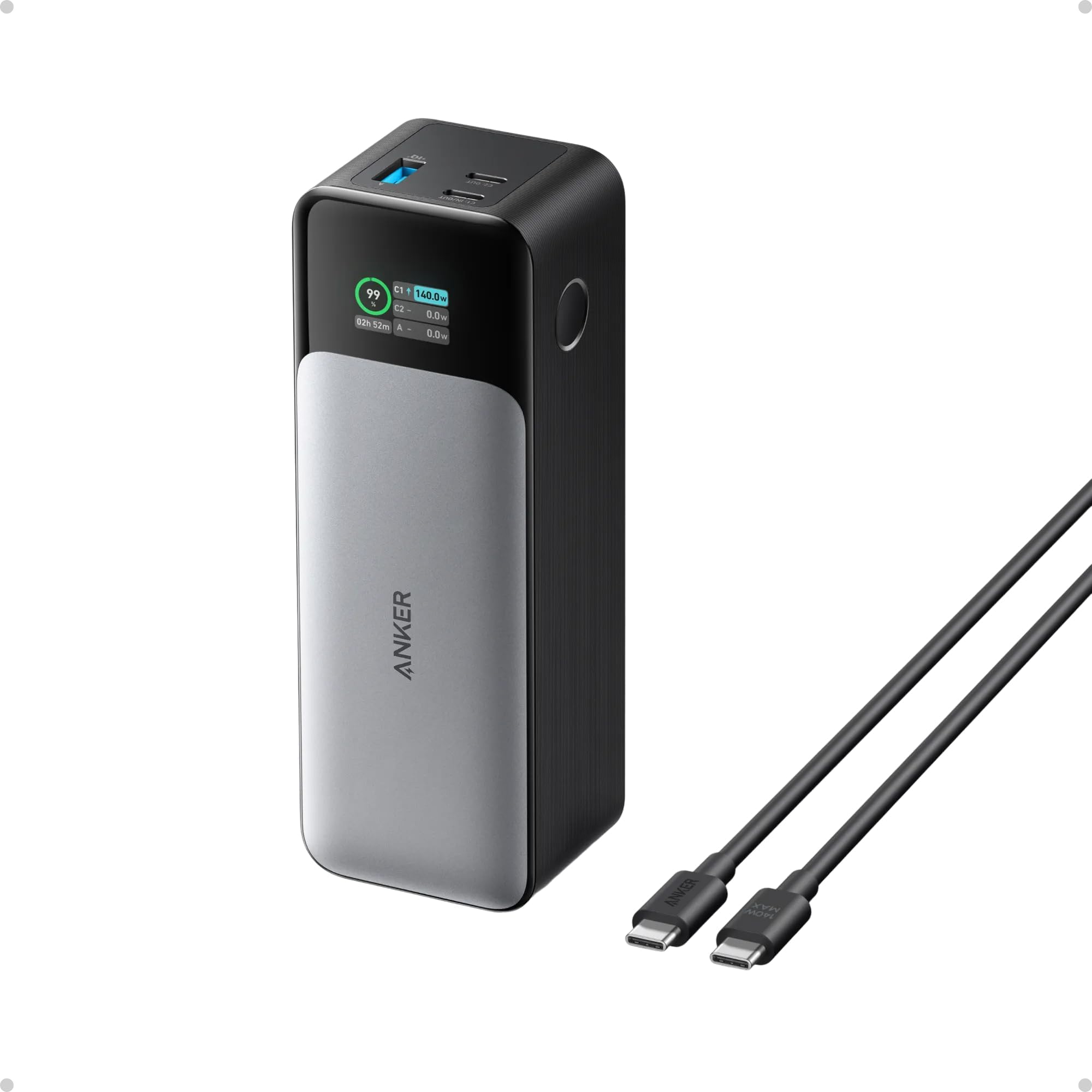
Anker 737
Key Features
- Weight: 1.4 lb
- Display: Smart digital
- Battery capacity: 24,000mAh
- Max USB-C output: 140W
- Price: Midrange
The display on the Anker 737 is the first thing we check when a laptop is charging slowly. It shows live input and output wattage per port and estimates recharge time, so you can see whether the laptop has negotiated 140W or fallen back to a slower profile. That is more useful than a row of four dots pretending everything is fine.
At 24,000mAh and 140W over USB-C, the 737 is the established everyday choice for a 14- or 16-inch laptop. It can charge a 2024 13-inch iPad Pro about 1.33 times or an iPhone 16 Pro more than four times, according to Anker, and the 140W USB-C to USB-C cable comes in the box. We like that it is airplane-safe and that the display turns charging into something you can diagnose rather than guess at.
The body is shaped for a briefcase rather than a jeans pocket. The 24-month warranty is the part to lean on if the battery starts to fade; a pack this dense is a consumable, not a lifetime purchase.
Pros
- 140W USB-C laptop charging
- Live per-port wattage display
- 24,000mAh and included 140W cable
Cons
- Heavy at 1.4 pounds
- Full recharge needs a 140W charger
We still point most laptop owners to the 737 when they want 140W charging, a live-wattage display, and a size that fits a briefcase, provided they can live with the weight.
Best for Two-Device Power
UGREEN Nexode 200W
Key Features
- Weight: 1.12 lb
- Total output: 200W
- Battery capacity: 25,000mAh
- Max USB-C output: 140W
- Price: Midrange
The second USB-C port is why the UGREEN Nexode 200W earns a place here. One port can deliver 140W to a laptop while the other still supplies up to 100W, so a tablet, a second laptop, or a power-hungry phone does not get pushed down to a trickle just because the big device is plugged in.
Total capacity is 25,000mAh, or 90Wh, which keeps it under the 100Wh airline limit with a little room to spare. The TFT display is the other feature we appreciate: it shows remaining time, wattage, voltage, and current, so you can tell whether the laptop is actually pulling the power the pack can give. UGREEN also rates the cells for 1,000 cycles to 80% capacity, a useful long-term figure.
The three-port layout is sensible for travel: laptop on C1, phone or tablet on C2, and a small accessory on USB-A. The display makes it easy to see when a laptop has dropped to a slower profile, which is the sort of thing you notice only when a charge takes longer than expected.
Pros
- 140W and 100W on two USB-C ports
- 25,000mAh / 90Wh flight-friendly
- TFT display shows live power data
- 1,000-cycle rating to 80%
Cons
- 200W total is shared across ports
- Heavier than 20,000mAh packs
Choose the UGREEN Nexode 200W if two devices need real power at once: its second USB-C port stays at 100W, so a laptop and tablet do not have to take turns.
Best for Slim Bag Carry
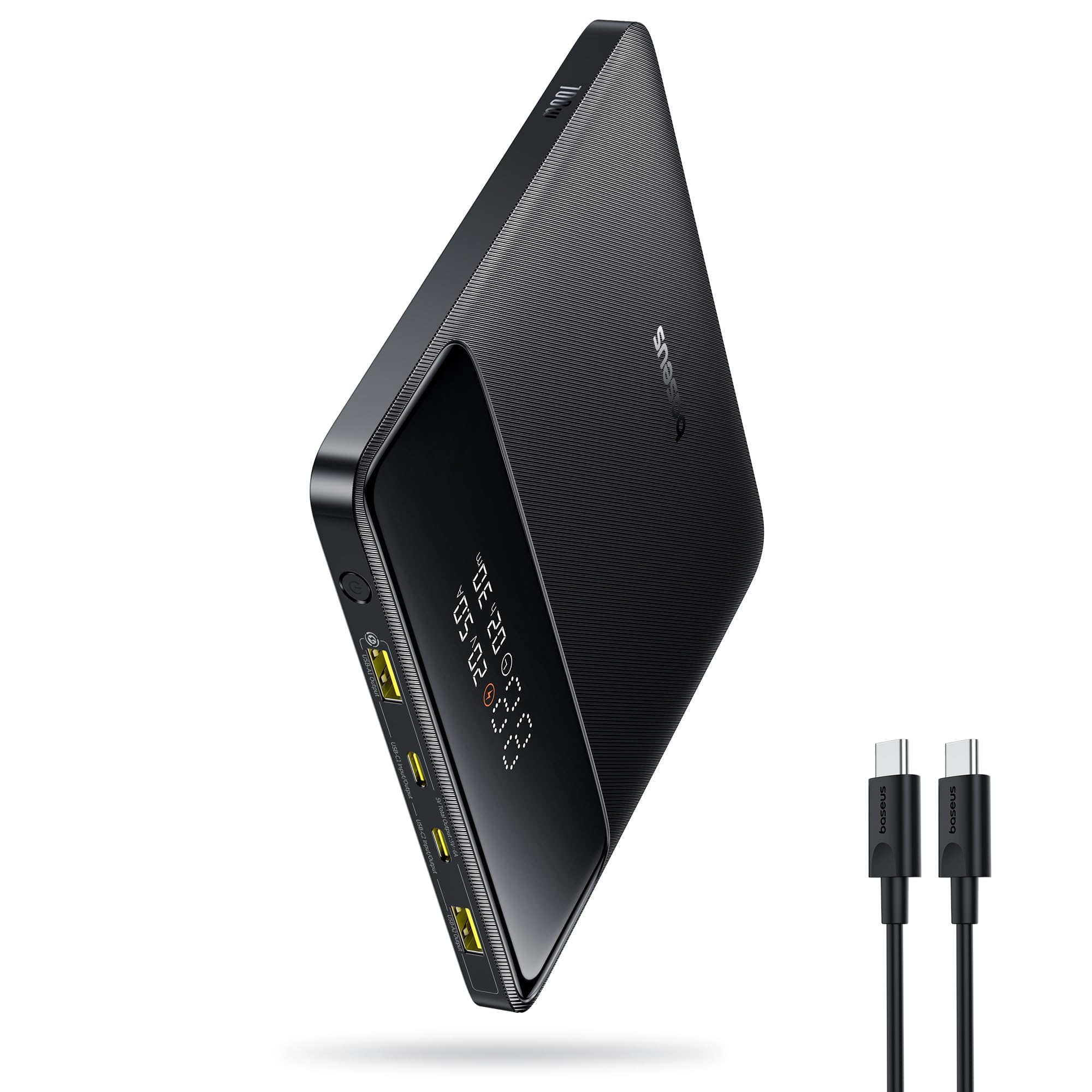
Baseus Blade 100W
Key Features
- Weight: 15.9 oz
- Dimensions: 5.27 x 5.27 x 0.78 in
- Battery capacity: 20,000mAh
- Max USB-C output: 100W
- Price: Midrange
The Baseus Blade is the pack we reach for when the laptop bag is already full. Its 5.27-inch square body is only 0.78 inch thick, so it slides into the sleeve next to a 14-inch laptop instead of forming a second brick in the main compartment.
At 100W over USB-C, it is a better match for most 13- to 15-inch laptops than for a 16-inch MacBook Pro running a render. The four ports are genuinely useful: two USB-C and two USB-A, with a display that shows the remaining charge. Baseus also includes a 100W USB-C cable and a 24-month warranty, which makes the flat design feel less like a novelty and more like a travel tool.
The square face is wider than a phone, so it is a bag item, not a pocket item. That is the right trade for a pack designed to live in a laptop sleeve, and the included 100W cable means you can leave the charger at home.
Pros
- Flat 0.78-inch body
- 100W USB-C PD
- Four ports with two USB-C
Cons
- 60W recharge is slower than high-end packs
We reach for the Baseus Blade when the bag is already full: its flat body slips into a laptop sleeve, and 100W USB-C is enough for most 13- to 15-inch laptops.
Best for Cable-Free Travel
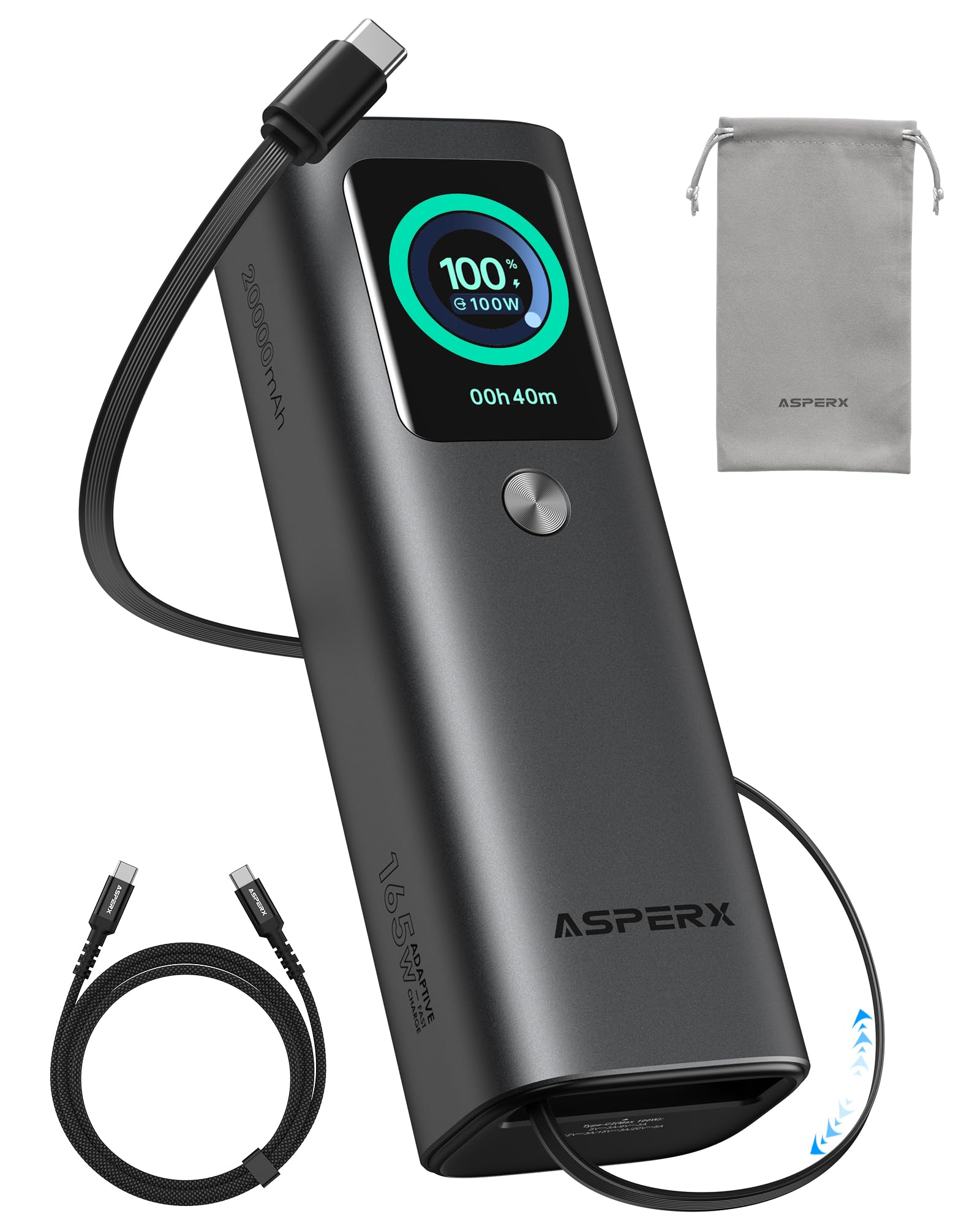
AsperX 165W
Key Features
- Weight: 1.47 lb
- Total output: 165W
- Built-in cable: Retractable USB-C
- Battery capacity: 20,000mAh
- Price: Midrange
The retractable USB-C cable is the reason the AsperX earns a spot in a travel bag. It pulls out for charging and winds back into the body, so there is no loose cable to tangle with a laptop, phone, and earbuds in the same pocket. The cable is rated for 100W, which makes it useful for the laptop rather than just a phone.
Total output is 165W across the built-in cable, a second USB-C port, and a USB-A port. The 20,000mAh capacity is the same headline as several cheaper packs here, but the aluminum unibody and TFT display make it feel like a more deliberate piece of kit. The display shows the charge level and live power, and the 24-month warranty is longer than most.
The retractable cable is also the limitation: it fixes the length and cannot be swapped for a longer or braided cable if it wears out. For travel, we think the convenience is worth it, especially since the second USB-C port gives you a fallback if you need a longer run.
Pros
- Retractable 100W USB-C cable
- 165W total across three ports
- 20,000mAh capacity
Cons
- Heavy at 666 grams
We recommend the AsperX for travelers who hate loose cables: the retractable USB-C cord is genuinely useful, and 165W total gives a laptop and phone room to charge together.
Best for Budget Laptop Charging
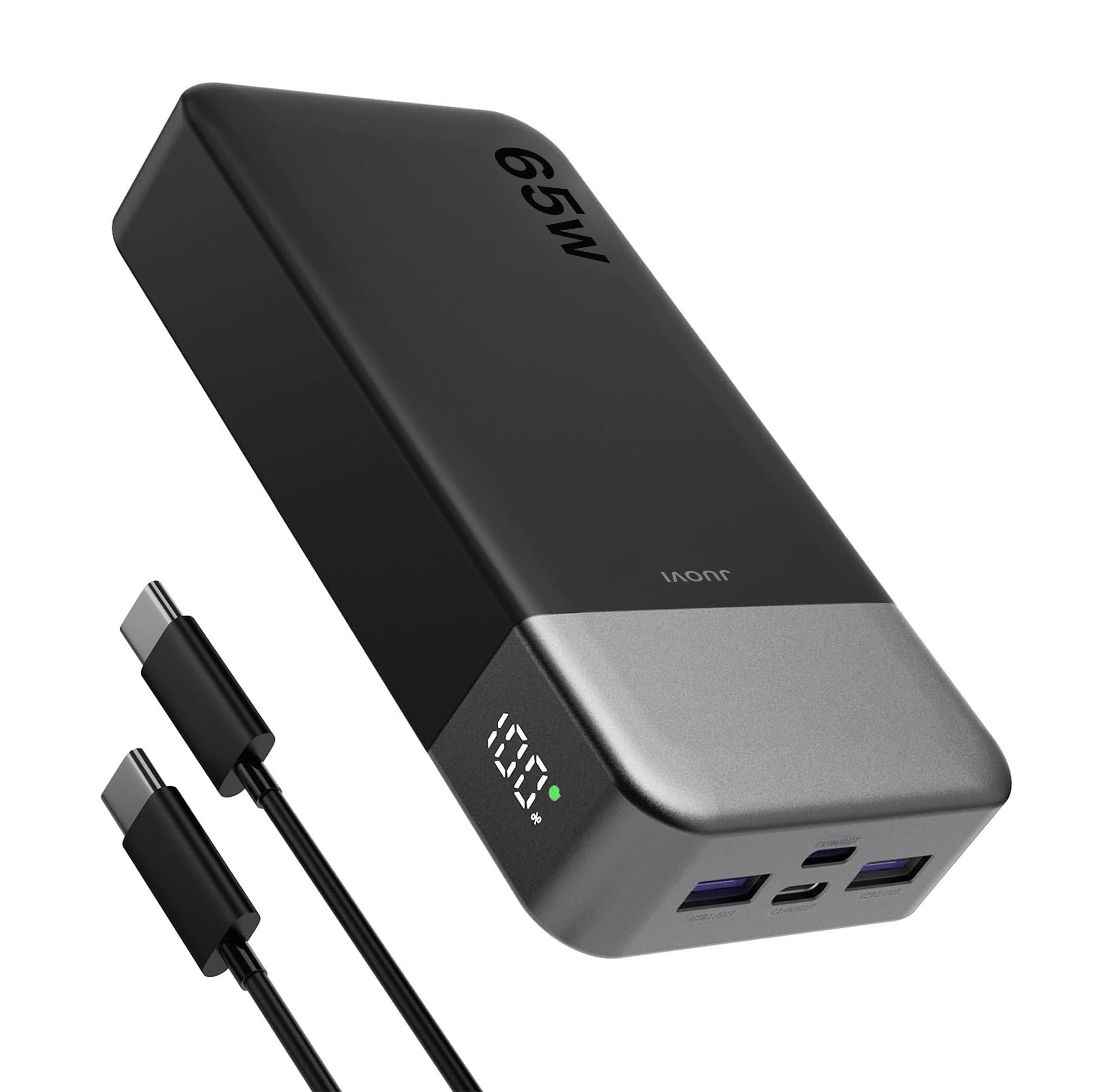
JUOVI 65W
Key Features
- Ports: 2 USB-C, 2 USB-A
- Weight: 14.1 oz
- Battery capacity: 20,000mAh
- Max USB-C output: 65W
- Price: Budget
Sixty-five watts is the sensible floor for laptop charging, and the JUOVI reaches it at the lowest price tier here. It is aimed at the student or commuter who needs a laptop top-up, not a full desktop replacement.
The 20,000mAh battery is enough for a partial charge on most 13- or 14-inch laptops, plus a phone or two, and the four ports let you share it. The 65W USB-C port is the one to use for the laptop; the second USB-C and two USB-A ports are for the smaller devices. A digital display shows the remaining percentage, so you are not guessing from a row of LEDs.
Trickle mode is a small but useful extra for earbuds or a watch, and the 400-gram body is light enough to live in a backpack. The 5.39 by 2.76 by 1.04-inch shell is not as flat as the Baseus Blade, but it takes up less space than the high-capacity bricks.
This is the pack we hand to a student or a commuter before a trip, with enough left over for a phone and earbuds. For a 13-inch ultrabook, it covers a day of mixed use without the weight or cost of the high-wattage packs. The display is the detail that makes it feel more expensive than it is.
Pros
- 65W USB-C laptop charging
- 20,000mAh with four ports
- Digital percentage display
Cons
- 65W ceiling limits large laptops
The JUOVI is the budget pick we recommend when 65W is enough: it charges a laptop, shows the remaining percentage, and costs less than the high-wattage packs here.
Best for Compact Daily Carry
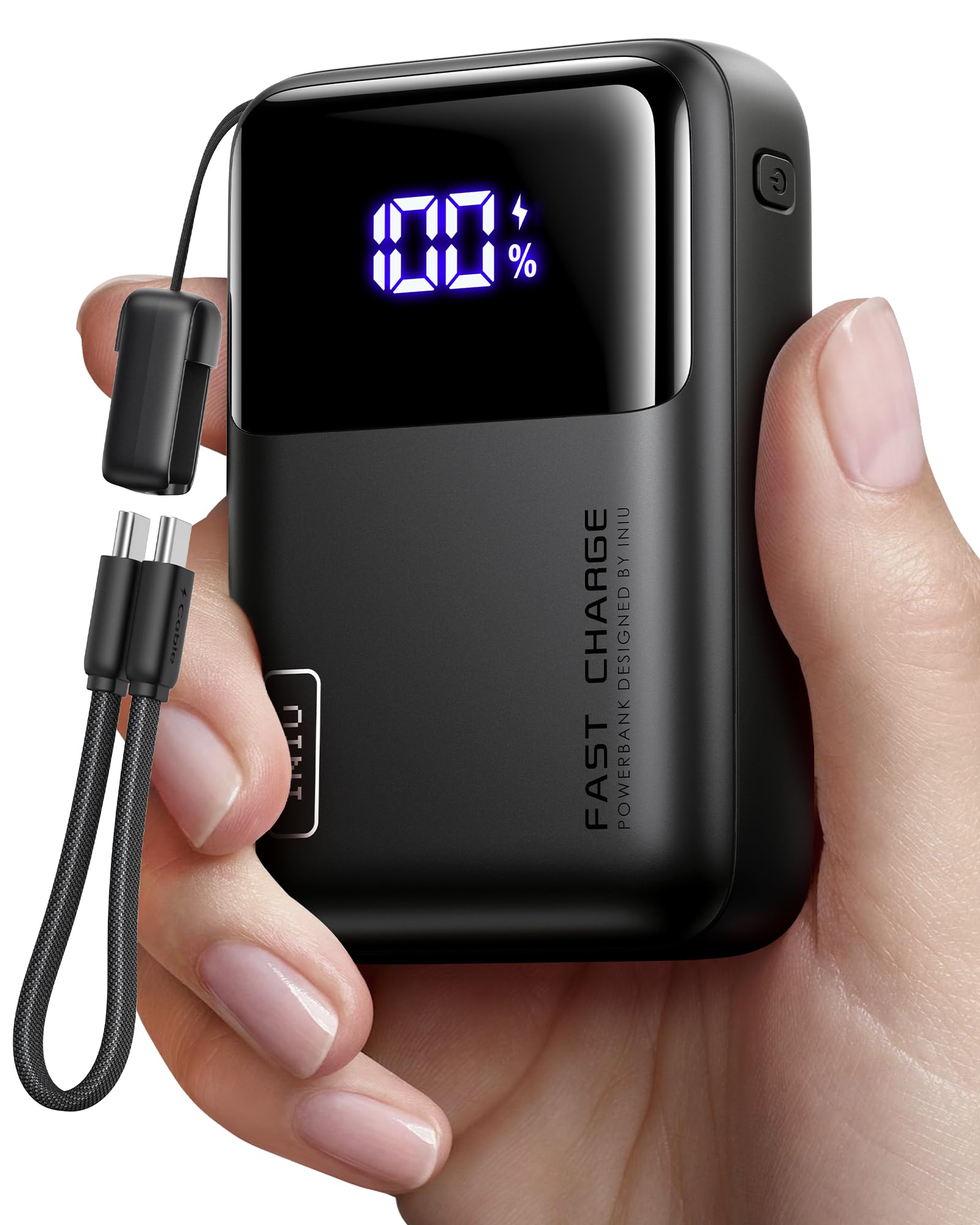
INIU 65W
Key Features
- Weight: 13.4 oz
- Dimensions: 4.3 x 2.7 x 1.1 in
- Battery capacity: 20,000mAh
- Max USB-C output: 65W
- Price: Budget
The INIU is the pack that disappears into a small bag. At 4.3 by 2.7 by 1.1 inches, it is the smallest 20,000mAh pack in this group, and the 13.4-ounce body is light enough to forget in a tote. That is the whole argument for it: a 20,000mAh laptop-capable pack that does not feel like a brick.
The 65W USB-C output is enough for a MacBook Air, a 13-inch Pro, or a Windows ultrabook, and the three ports let you charge a phone and earbuds at the same time. The 20,000mAh capacity is the same as the JUOVI and Baseus, but the smaller body makes it the one we reach for on a day trip rather than a long-haul flight.
The detachable USB-C cable doubles as a lanyard, which is clever until you misplace it; the three-year warranty is longer than most. A digital display shows the remaining charge, and the pack is airline-safe.
At its best, the INIU handles a phone, a tablet, and a 13-inch laptop without making you reorganize the bag. It is the pack we slip into a tote for a day out, not the one we take when the laptop is the main workload. The cable doubling as a carry handle is the detail we keep coming back to.
Pros
- Compact 4.3-inch body
- 65W USB-C and three ports
- Detachable USB-C lanyard cable
- Three-year warranty
Cons
- Long-term durability is the weak spot
- 65W ceiling for large laptops
We recommend the INIU when pocket space matters more than maximum wattage: it is the smallest 20,000mAh pack here, with 65W USB-C and a three-year warranty.
Best for Ac Outlet Needs
Paopaoyu AC Power Bank

Key Features
- Ports: 4
- AC output: 100W
- Battery capacity: 27,000mAh (98Wh)
- Max USB-C output: 65W
- Price: Midrange
The AC outlet is the reason to consider the Paopaoyu at all. Most laptop power banks assume your laptop charges over USB-C; this one also gives you a 100W wall-style outlet, so an older ThinkPad, a camera battery charger, or a laptop with a barrel adapter can run without a separate inverter.
The 27,000mAh battery is rated at 98Wh, which keeps it under the 100Wh airline carry-on limit, and the 65W USB-C port handles a USB-C laptop or phone. The four output ports make it a practical travel brick.
The AC outlet is the feature that earns the space in the bag, and the 98Wh capacity is enough to make it useful for a day away from an outlet. If your laptop charges over USB-C only, the USB-C packs here are the more efficient choice. For anyone whose work laptop still has a barrel plug, that outlet is the difference between a dead afternoon and a finished draft.
Pros
- 100W AC outlet
- 65W USB-C PD
- 98Wh under the flight limit
Cons
- Only one 65W USB-C port
- 100W AC outlet limits high-draw laptops
- Bulky 6.7-inch body
We recommend the Paopaoyu when your laptop still travels with a wall adapter: the AC outlet handles it, while the 65W USB-C port covers phones and USB-C laptops.
How We Tested: Eight Months, 12 Packs, One Power Outage
We started with a shortlist of roughly 30 packs built from spec sheets and verified owner reviews, then filtered for 65W-or-higher USB-C output, at least two USB-C ports, and a watt-hour rating under the 100Wh airline limit. That left 12, which we bought at retail and used as our own for eight months.
Every pack got the same baseline run. We drained a 14-inch laptop to 10%, plugged it in, and timed how long it took to reach 50% and how much charge the pack had left afterward. Then we added a phone and tablet to the same session and watched for the wattage drop that tells you a pack can’t share its output. Each one was weighed on a kitchen scale and carried in a laptop bag on commutes and two flights, since a two-pound brick feels very different at hour six of a travel day. We also checked whether the on-board display’s readout matched what the laptop itself reported.
In daily use they went to cafés for full workdays away from an outlet, on weekend trips, and through one three-day outage at home. We charged them from wall adapters of different wattages, from a car, and from each other where the ports allowed, noting which only hit their advertised speed with a high-wattage brick. Durability was unglamorous but real: each pack rode in a bag next to keys and a water bottle, took a few waist-high drops, and had its ports worked over daily. After eight months we re-ran the laptop charge test to see how much capacity the cells had quietly lost, and weighed what each one cost against the watts it actually delivered.
How to Choose a Laptop Power Bank
The right laptop power bank is a match for your laptop’s USB-C charger and your actual carry habits, not the biggest number on the box.
Match the Wattage to Your Laptop’s Charger
Start with the charger that came with your laptop. A 45W ultrabook can live on a 45W or 65W pack; a 14-inch MacBook Pro or a Dell XPS wants 65W to 100W; a 16-inch performance laptop is happiest at 140W. The pack’s single-port rating matters more than its total output, because a 200W pack that gives only 65W to one port will charge a big laptop slowly. Look for USB-C Power Delivery and a cable rated for the same wattage. If your laptop has a barrel plug, you need either a USB-C adapter or a pack with an AC outlet.
Capacity, Flight Limits, and Real Charges
Think in watt-hours, not just milliamp-hours. A 20,000mAh pack is roughly 72Wh; 24,000 to 27,000mAh lands around 86 to 98Wh. Most airlines allow one battery under 100Wh in carry-on, which is why the high-capacity picks here stop just below that line. Do not expect the headline capacity to equal full laptop charges: conversion losses and laptop demand eat into it. A 20,000mAh pack is a top-up for a 14-inch laptop; a 25,000mAh pack is the safer choice for a long flight or a second device.
Weight and Shape Are Part of the Specification
A 20,000mAh pack can weigh 380 grams or 666 grams, and the difference is noticeable in a shoulder bag. Flat packs slide into a laptop sleeve; square or cylindrical packs take up more room. High-wattage packs are denser and heavier, so decide whether you are buying for a daily commute or a long trip. For daily carry, a 65W pack around 400 grams is often the better trade. For a working flight, the extra weight of a 140W pack buys faster charging and more headroom.
Ports, Cables, and Displays
At least one USB-C port should deliver the laptop wattage you need, and a second USB-C port is worth having for a phone or tablet. Built-in cables are convenient but not replaceable, so weigh that against the space they save. A display is more than a gadget: it shows whether a laptop is actually pulling 100W or has dropped to a slower profile. Check that the included cable is rated for the pack’s output; a 60W cable on a 140W port is a bottleneck.
Reliability, Warranty, and the First Week
High-capacity batteries are consumables, and a pack that works for two months is not a bargain. Buy from a brand with a clear warranty, register the pack, and use the first week to run a full charge and discharge while you can still return it. Heat is the enemy, so avoid leaving it in a hot car or charging it under a pillow. If a pack swells, gets unusually hot, or stops accepting a charge, stop using it.
Frequently Asked Questions
Can I recharge a power bank with my laptop’s USB-C charger?
Usually, yes, as long as the charger and cable support USB-C Power Delivery. A 65W laptop charger is a sensible match for a 20,000mAh pack, while a 100W or 140W charger will fill the larger packs faster. Check the pack’s input rating first; some accept only 60W, and a higher-wattage charger will simply run at the pack’s limit.
How should I store a power bank when I’m not using it?
Keep it around half charge in a cool, dry place rather than leaving it empty or at 100% for months. Top it up every few months, and avoid a hot car or a sunny windowsill. If it swells, gets unusually hot, or stops accepting a charge, stop using it and recycle it.
Can I replace the battery in a laptop power bank?
No. These packs are sealed, and the cells are not designed for user replacement. When the battery fades, use the warranty if it is still covered, then recycle the pack at a battery drop-off point. Do not open the case or try to swap cells; a damaged lithium-ion pack is a fire risk.
Final Verdict
The Anker Prime 300W is the laptop power bank we recommend first because it solves the hard part: 140W on one USB-C port, just under the 100Wh flight limit, and enough total output for a second device. It is heavy and the charging base is extra, but neither changes the fact that it can run a serious laptop from a bag.
If your laptop charges at 65W or less and you want something smaller, the JUOVI is the better daily carry; if two devices need fast power at once, the UGREEN Nexode 200W is the alternative we point to.