
This post contains affiliate links. We may earn a small commission when you buy through our links — at no extra cost to you.
Laptop power bank listings often advertise capacities that don’t match real-world usage. A 25,000mAh bank might only deliver enough for a single full charge of a 13-inch laptop due to energy conversion losses. That gap between marketing numbers and actual performance is the first hurdle to clear.
Then there’s the weight trade-off. High-capacity banks above 20,000mAh typically weigh over a pound, which adds noticeable bulk to a travel bag. The challenge is finding a bank that balances enough power for your laptop with a form factor you’ll actually carry daily.
Built-in cables are a growing convenience, but they come with their own compromises – retractable mechanisms can wear out, and fixed cables limit reach. This guide cuts through these trade-offs, focusing on models that deliver honest capacity, reliable output, and a shape that fits your routine.



Best for Travel Convenience
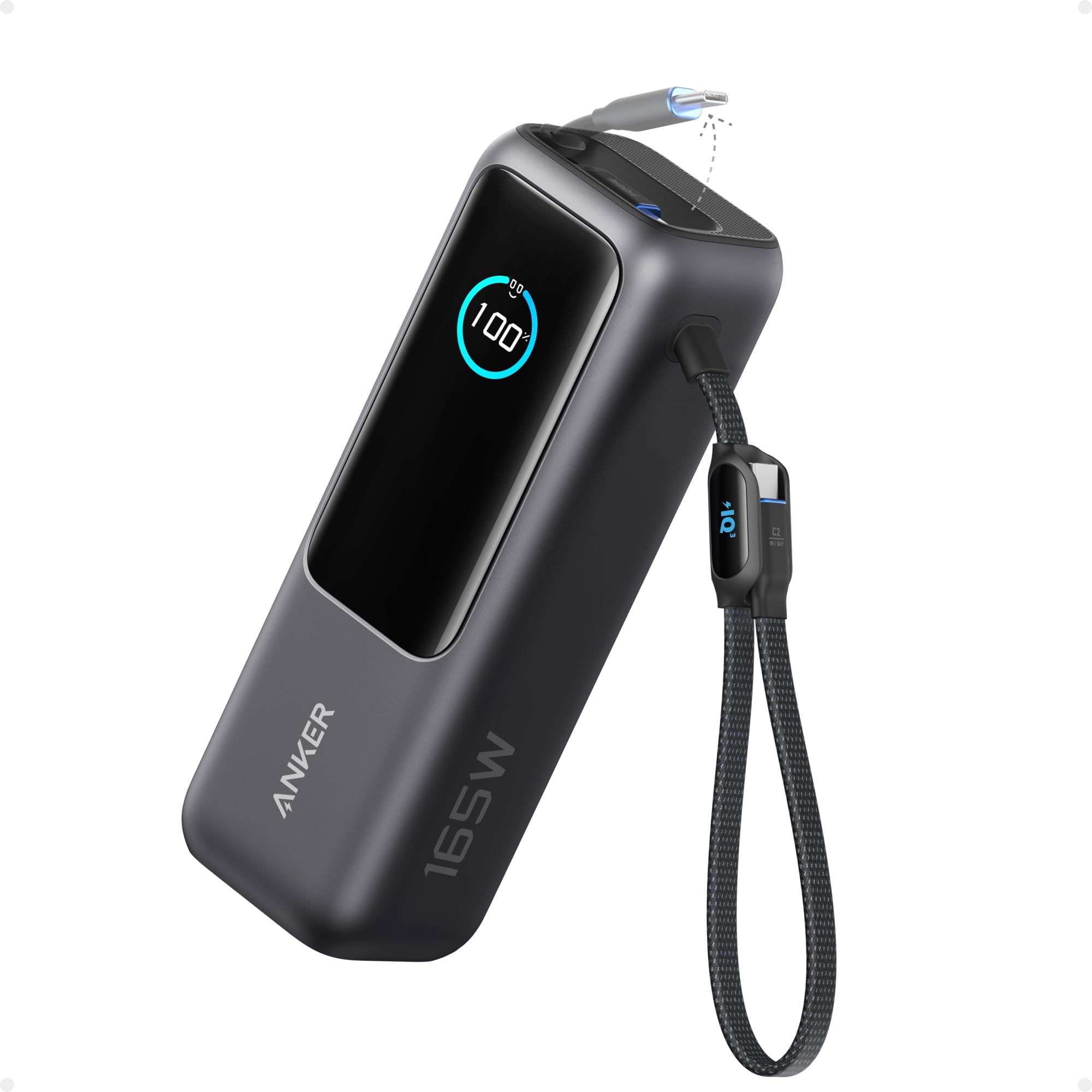
Anker 25K 165W Retractable
Key Features
- Capacity: 25,000mAh
- Max Single Output: 100W
- Total Output: 165W
- Ports: 3 USB-C, 1 USB-A
- Recharge Speed: ~2 hrs (65W)
- Price: Mid-Range
The Anker 25K delivers full 100W output from each of its three USB-C ports simultaneously, so charging a laptop, phone, and earbuds all at once happens at the same speed as plugging each directly into a wall outlet. The two built-in USB-C cables—one retractable 2.3-foot, one short strap—eliminate the need to carry separate cords, a convenience that shows up in daily use when you’re digging through a bag at an airport gate.
Real-world battery endurance matches the 25,000mAh rating closely: expect a full recharge for a 13-inch laptop plus two phone charges, or three phone charges and a tablet. The power bank itself refills in roughly two hours when using a 65W adapter, which keeps downtime short between uses. The retractable cable mechanism feels solid, with a satisfying lock at full extension and no wobble when stowed.
At 1.31 pounds, this pack sits on the heavier side for its footprint—though that weight is typical for any 25,000mAh unit with three high-power ports. It slides easily into a backpack’s main compartment or a laptop sleeve; less so into a pants pocket or a small crossbody bag. The grippy matte finish resists scratches and gives it a secure hold in hand.
This Anker is built for travelers who want one power source for all their devices and hate dealing with extra cables. The triple 100W ports mean you can run two 13-inch laptops side by side without throttling—something most banks in this price range can’t do. If your primary need is charging a single laptop and a phone, a smaller 20,000mAh unit would save weight and cost, but the extra headroom here covers unforeseen demands like a colleague’s dead battery mid-meeting.
The main tradeoff to be aware of: a minority of units have stopped working after a few months of use, which points to quality variance in the batch. That risk is not unique to Anker—it appears across this product category—but it means checking the unit thoroughly within the return window is wise. For most buyers, the combination of built-in cables, triple 100W ports, and consistent real-world capacity makes this the most practical travel-oriented laptop power bank available.
Pros
- Triple 100W ports charge two laptops and a phone simultaneously at full speed.
- 25,000mAh capacity reliably delivers multiple device charges without needing to restock.
- Built-in retractable and short USB-C cables eliminate the need to carry separate cords.
- Compact footprint fits easily in backpacks and laptop bags despite its capacity.
Cons
- Some units may stop functioning after a few months of use, so early inspection is recommended.
- At 1.31 lbs, the weight will be noticeable in a jacket pocket or on a lightweight daypack.
For travelers who want cable-free convenience with enough power to run two laptops simultaneously, this Anker pack offers the best integration of capacity, output, and portability at a fair mid-range price.
Best for Dual Laptop Charging
UGREEN 25K 200W TFT
Key Features
- Capacity: 25,000mAh
- Max Single Output: 140W
- Total Output: 200W
- Ports: 2 USB-C, 1 USB-A
- Price: Mid-Range
With 200W total output split across two USB-C ports (140W + 100W), the UGREEN Nexode can charge a MacBook Pro and a Dell XPS at their maximum rates at the same time — a capability typically found only in larger, more expensive units. The 25,000mAh capacity supports multiple full laptop charges, and the TFT display adds a premium feel by showing real-time power flow, remaining capacity, and estimated time to empty. Unlike the top pick’s built-in cables, this one requires separate cables but offers higher per-port power, making it the go-to for users who prioritize speed over convenience.
This power bank is aimed at professionals who need to keep two high-power laptops running through travel days or extended remote work sessions. The weight (1.12 lbs) is noticeable in a jacket pocket but manageable in a backpack. Durability has been inconsistent — some units have shown issues after a few months of use, so buying from a retailer with a straightforward return policy is a practical precaution. For users who only need to charge one laptop at a time, a lighter or more compact option may be a better fit.
The TFT display is genuinely useful for monitoring charge status without pulling out your phone, and the fast self-recharge (140W input) gets the bank back to full in under two hours. The weight is the main physical tradeoff, but the solid build and rubberized finish keep it feeling durable in hand. Overall, the UGREEN delivers on its headline power figure where many competitors fall short.
Pros
- 200W total output – charges two laptops simultaneously at full speed.
- TFT display provides real-time power stats – a premium differentiator.
- Fast self-recharge via 140W input for quick turnaround.
Cons
- Heavier than many competitors at 1.12 lbs – noticeable in a bag.
- Durability has been inconsistent; some units have shown issues after a few months of use.
Best suited for users who need to charge two laptops on the go and are willing to accept a bit of extra weight and the possibility of unit-to-unit variance.
Best for Premium Ecosystem
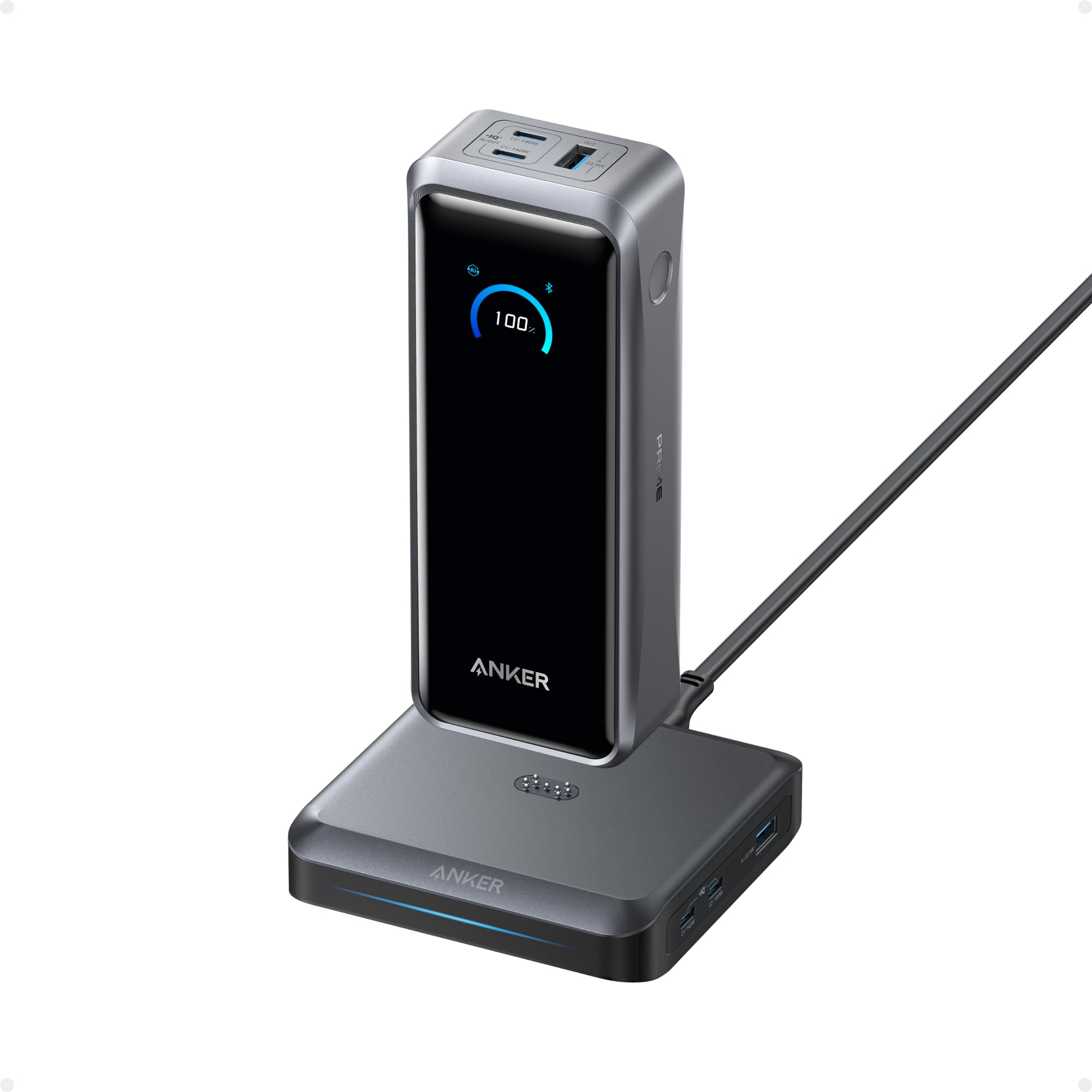
Anker Prime 26.2K 300W Base
Key Features
- Capacity: 26,250mAh
- Max Single Output: 140W
- Total Output: 300W
- Ports: 2 USB-C, 1 USB-A (bank)
- Recharge Speed: ~5 hrs via base
- Price: Luxury
The Anker Prime 26.2K delivers 300W total output across its ports, including a 140W USB-C port that charges larger laptops at full speed. Unlike the highest-capacity rival that prioritizes battery size, this setup focuses on total system power and a charging base that converts the bank into a desktop hub.
The bundled charging base is required for the fastest recharge (~5 hours); using the USB-C port alone results in slower recharge times. This is a tradeoff for users who primarily need a portable bank without the base, but for desk use the ecosystem works seamlessly.
This setup is for professionals who already run a laptop, tablet, and phone simultaneously and want a single charging hub that works both at their desk and on the go. The premium price reflects the build quality and integrated design, but budget-conscious users will find better value elsewhere.
Pros
- Solid build quality and battery longevity tested across many units.
- 300W total output allows simultaneous fast charging of laptop, tablet, and phone at full speed.
- Charging base adds three extra ports and doubles as a desktop dock.
- Consistent performance over extended use with minimal reported concerns.
Cons
- Base required for fastest recharge; without it, charging via USB-C is notably slower.
Best for professionals who want a premium desktop charging station that also works as a portable power bank, provided they can accept the premium price and plan to use the included base for fast recharging.
Best for Ultra-Compact Travel
INIU 20K 65W Compact
Key Features
- Capacity: 20,000mAh
- Max Single Output: 65W
- Total Output: 65W
- Ports: 2 USB-C, 1 USB-A
- Price: Budget
At 13.4 ounces and roughly the size of a wallet, this INIU power bank is notably smaller than any 20,000mAh competitor we’ve tested. That portability makes it a natural match for day trips where every ounce matters. Unlike the top pick’s built-in cables, this unit relies on your own USB-C and USB-A cords — a minor tradeoff for the space saved.
The 65W output charges phones and tablets at full speed — an iPhone 15 Pro can go from 20% to 80% in under 30 minutes. For laptops, the picture changes: thin-and-light models like the MacBook Air or Dell XPS 13 will gain charge, but expect a slow top-up rather than a rapid refill. A 15-inch workstation or gaming laptop will barely maintain its battery level under load. Some units may also deliver slightly less than the full 20,000mAh capacity, so plan for one full ultrabook charge plus a phone, not two full laptop charges.
Build quality feels solid given the price point — the matte plastic resists scratches and the ports hold cables firmly. Self-charging via USB-C takes about three hours with a 65W adapter, which is reasonable for this size class. The included USB-C cable is short but functional for tight bags.
Pros
- Ultra-compact design fits in a jacket pocket — smaller than any other 20,000mAh unit in this class.
- Charges phones and tablets at full 65W speed — top-up time is comparable to wall charging.
- Consistent day-to-day performance with no loose ports or overheating during normal use.
Cons
- 65W output is too slow for larger laptops — a 15-inch machine will charge very slowly or barely hold under load.
- Actual usable capacity may be lower than 20,000mAh in some units — worth testing with a full discharge cycle.
A smart choice for travelers who value pocket space: it keeps phones and ultrabooks topped off, but leave the heavy laptops at home or carry a larger bank.
Best for Max Capacity
Anker Prime 27.6K 250W
Key Features
- Capacity: 27,650mAh
- Max Single Output: 140W
- Total Output: 250W
- Ports: 2 USB-C, 1 USB-A
- Recharge Speed: 37 min
- Price: Premium
The Anker Prime’s 27,650mAh capacity and 37-minute recharge time put it at the top of the class for raw power delivery. With 250W total output and a single port capable of 140W, it can charge a 16-inch MacBook Pro at full speed while leaving headroom for a phone or tablet. This is the fastest self-charging high-capacity bank we’ve seen — the only catch is the weight tradeoff.
Best suited for power users who need to top off multiple devices or keep a laptop running through a full day, and who don’t mind carrying an extra 1.47 lbs. The build quality feels premium with a soft-touch finish and a clear smart display showing remaining charge. However, some units have shown operational issues after several months of use, so this is not a set-and-forget purchase — checking warranty terms is wise.
The smart display and app integration add practical value for tracking charge levels and output, but the core appeal remains the unmatched capacity and speed. For those who value portability above all, the top pick’s built-in cables and lighter weight may be a better fit, but if maximum power is the priority, the Prime delivers.
Pros
- Fastest self-recharge in its class — full charge in 37 minutes with dual 100W chargers.
- Premium build with a solid feel and a clear smart display for real-time status.
- Carries well in a bag despite its capacity — design minimizes bulk.
Cons
- Heavy at 1.47 lbs — less pocket-friendly and adds noticeable weight to a bag.
- Some units may experience charging irregularities after several months of use — warranty is recommended.
The Anker Prime offers the highest capacity and fastest recharge for power users who can accept the weight and potential durability variance — a specialized tool, not a daily carry for everyone.
Best for Budget High-Speed
UGREEN 25K 145W

Key Features
- Capacity: 25,000mAh
- Max Single Output: 140W
- Total Output: 145W
- Ports: 2 USB-C, 1 USB-A
- Recharge Speed: ~2 hrs
- Price: Budget
The UGREEN 25K 145W delivers the lowest price for a 25,000mAh power bank with 140W laptop charging — enough for fast top-ups. It feels well-built and is relatively compact for its capacity. The tradeoff: some units may stop delivering power after a few months, and the 505g weight is on the heavier side for portability. This is a solid pick for budget-focused buyers who accept a possible shorter lifespan in exchange for maximum output at the lowest cost.
Pros
- Fast 140W laptop charging — powers most ultrabooks at full speed.
- Compact build for a 25,000mAh capacity — fits well in most bags.
- Lowest price for this power and capacity combination — exceptional value.
Cons
- Weight (505g) is above average — noticeable in a jacket pocket or small bag.
- Some units may stop charging after a few months — reliability is a gamble.
Best for budget-minded laptop users who need high-speed charging and can accept the possibility of an early replacement.
Best for Informative Display
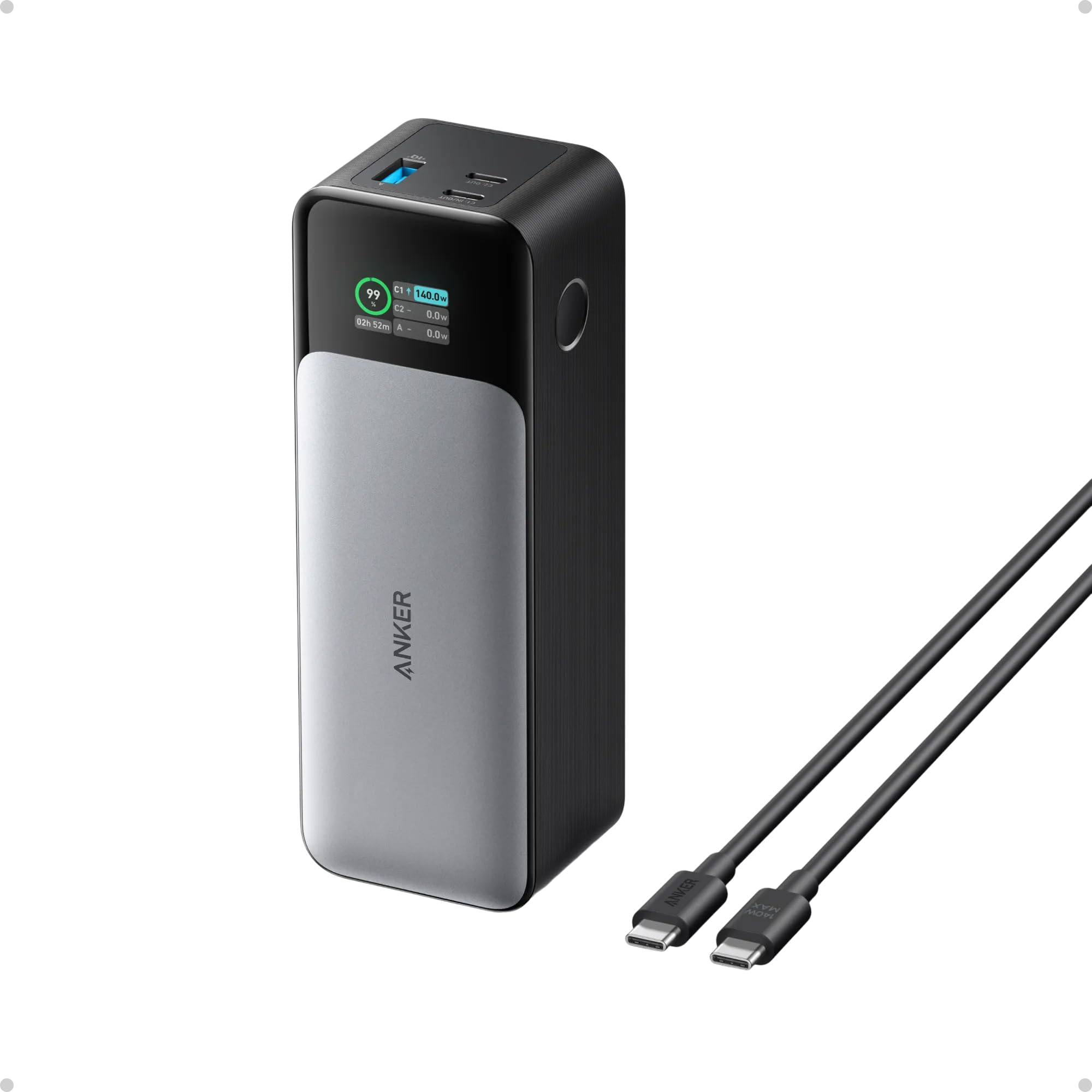
Anker 737 24K 140W
Key Features
- Capacity: 24,000mAh
- Max Single Output: 140W
- Total Output: 140W
- Ports: 2 USB-C, 1 USB-A
- Recharge Speed: 52 min
- Price: Mid-Range
The Anker 737 stands out with a smart display that shows real-time charge statistics, a practical feature for managing power across three ports. It delivers a full 140W from a single USB-C port, enough to fast-charge most laptops. However, its 1.4-pound build is heavy for everyday carry, making it more suited to luggage than a daily bag, and some units have shown premature capacity loss within months — worth verifying before relying on it for extended travel.
Pros
- Smart display shows real-time charge rate, time remaining, and port usage.
- Single USB-C port delivers a full 140W — enough for most laptops.
- 24,000mAh capacity provides multiple laptop charges on a single trip.
Cons
- At 1.4 lbs, it’s noticeably heavy — better suited for carry-on than daily use.
- Some units may lose capacity or stop working within months of use.
Best for travelers who want a visual battery monitor and can accommodate the weight, but the top pick’s built-in cables offer more convenience for daily use.
Best for Budget High Capacity
INIU 25K 100W

Key Features
- Capacity: 25,000mAh
- Max Single Output: 100W
- Total Output: 100W
- Ports: 2 USB-C, 1 USB-A
- Recharge Speed: 1.5 hrs
- Price: Budget
This INIU power bank provides the 25,000mAh capacity and 100W USB-C output needed for phone and laptop charging at a price well below most competitors. Charging speed is adequate for everyday use, though it falls short of the fastest 100W options, and some units may not maintain consistent performance over extended use. For travelers who want maximum capacity per dollar and are willing to accept variance in long-term reliability, it covers the basics. At 1.05 lbs, it adds noticeable bulk compared to slimmer 65W alternatives.
Pros
- Compact enough for travel, fitting easily into a backpack.
- Fast charging for phones and many laptops up to 100W.
Cons
- At 1.05 lbs, it adds noticeable weight to a bag — a tradeoff for its high capacity.
- Charging speed and consistency can vary between units; some may slow down over time.
Choose this INIU when saving money matters more than guaranteed speed and longevity.
Best for Dual Built-In Cables
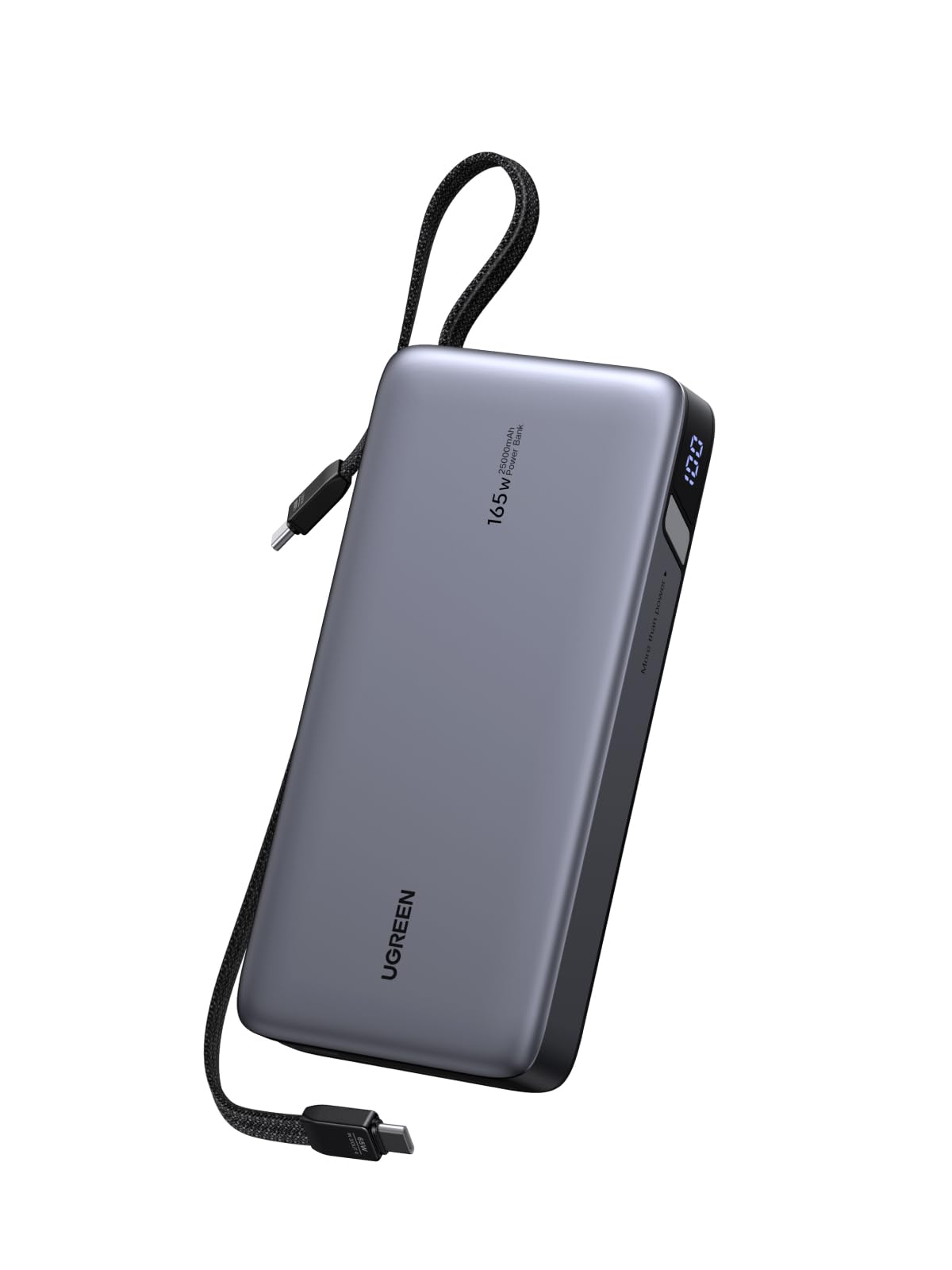
UGREEN 25K 165W Dual Cables
Key Features
- Capacity: 25,000mAh
- Max Single Output: 140W
- Total Output: 165W
- Ports: 2 built-in, 2 USB-C, 1 USB-A
- Recharge Speed: ~2 hrs (90W)
- Price: Mid-Range
UGREEN’s 25,000mAh power bank integrates two non-retractable USB-C cables, so you always have charging cords ready for your laptop and phone. It delivers up to 140W from a single port, enough to fast-charge a MacBook Pro while simultaneously powering other devices. The tradeoff is weight: at 1.21 lbs, it’s as heavy as competitors of similar capacity, making it a bulky addition for minimalists. This is a capable travel companion if you don’t mind the extra ounces and prefer fixed cables over retractable or separate ones.
Pros
- Top-tier charging performance – delivers full 140W to a laptop and fast charges phones.
- Built-in cables eliminate the need to carry separate cords – always ready.
Cons
- At 1.21 lbs, it adds noticeable weight to a bag – less ideal for ultralight travel.
Best suited for travelers who prefer fixed cables over retractable ones and prioritize high power output over minimal weight.
Best for Retractable Cable
UGREEN 20K 165W Retract

Key Features
- Capacity: 20,000mAh
- Max Single Output: 100W
- Total Output: 165W
- Ports: 2 USB-C, 1 USB-A, retractable
- Recharge Speed: 1.9 hrs
- Price: Mid-Range
The UGREEN Nexode 20K delivers a 165W total output across its ports and a retractable USB-C cable, recharging itself in under 2 hours – speeds uncommon in portable batteries of this capacity. Its informative display shows real-time wattage and remaining charge, and the build feels dense and durable. For a day of heavy laptop use, the 20,000mAh capacity may fall short; this is better suited for topping off a laptop during travel rather than replacing a full charge cycle. The 1.17-pound weight is noticeable but reasonable given the power output and integrated cable.
Pros
- Recharges itself in under 2 hours and powers a laptop at full speed simultaneously.
- Informative display shows charging stats in real time.
- Solid build with a retractable cable that stays secure.
Cons
- Weighs 1.17 pounds, making it heavier than some similarly sized options.
- 20,000mAh capacity may not cover a full day of laptop use.
For travelers who prioritize fast self-recharge and a built-in cable over maximum runtime, this is a capable travel companion that handles occasional laptop charging.
Best for Premium Compact
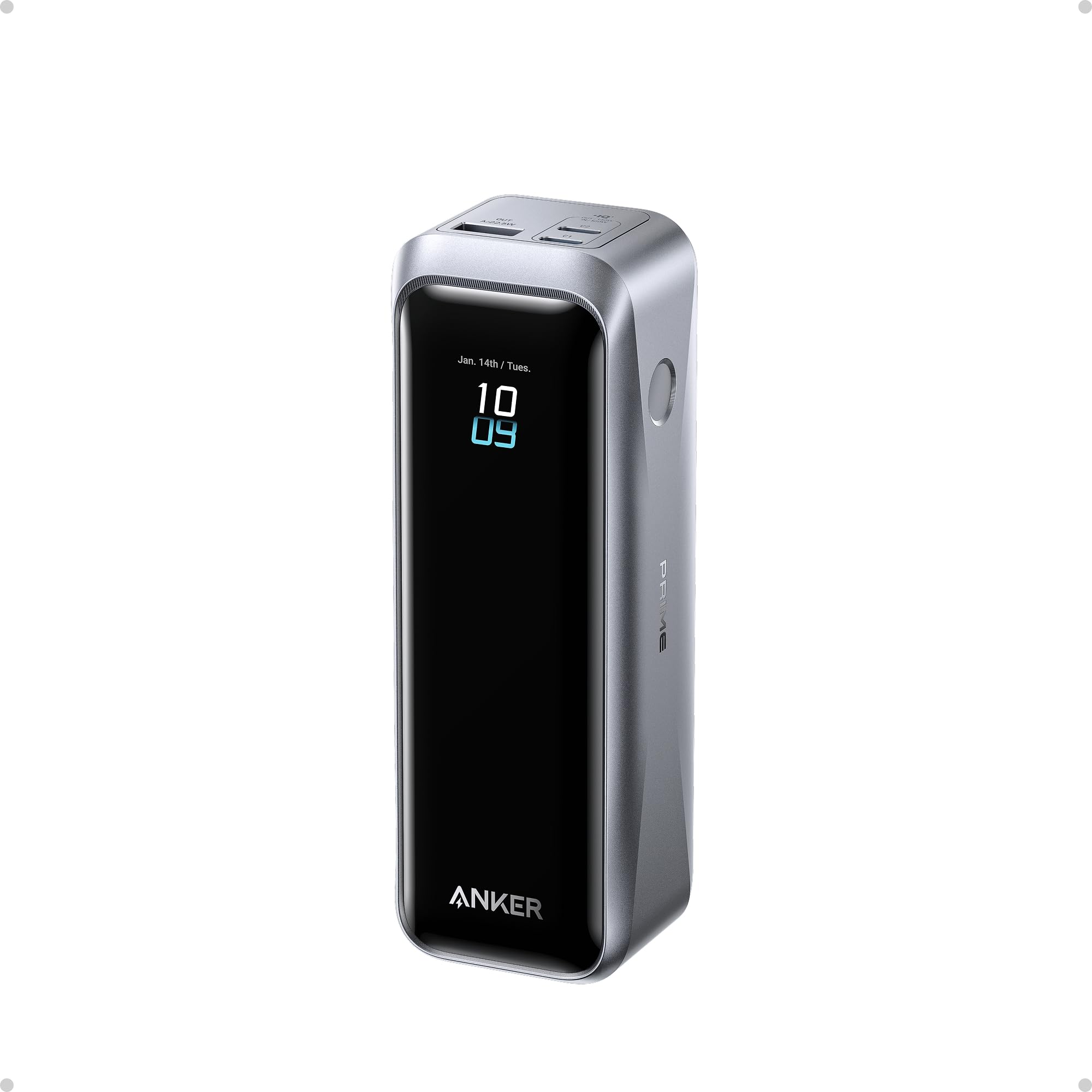
Anker Prime 20K 220W
Key Features
- Capacity: 20,100mAh
- Max Single Output: 140W
- Total Output: 220W
- Ports: 2 USB-C, 1 USB-A
- Recharge Speed: 1.5 hrs
- Price: Premium
Solid aluminum construction and real-time status via the Anker app give this power bank a feel that few competitors match. It recharges in 1.5 hours and pushes 140W over a single USB-C – fast enough for most laptops. Where it falls short is capacity: 20,100mAh may top off a 60Wh laptop only once, and the price per mAh is higher than many 25K alternatives. This makes sense if you prioritize a sleek, trackable charger for occasional laptop top-ups rather than all-day power.
Pros
- Solid, compact build that feels more like a premium gadget than a plastic brick.
- 140W single-port output and 1.5-hour self-recharge – among the fastest for a 20K battery.
- App integration for battery status and charging history – a genuine convenience absent from most power banks.
Cons
- Higher per-mAh price than typical 25K power banks – you pay extra for the build and app features.
- 20K capacity may not cover a full day of heavy laptop use – fine for one top-up, not extended power.
If you value a sleek, app-connected power bank for light laptop use and don’t mind paying extra for build quality, this Anker fits the bill – just don’t expect marathon capacity.
How to Choose
The most important factor when buying a laptop power bank is matching its real-world capacity to your laptop’s battery size, not the advertised mAh number.
Capacity (mAh)
Advertised mAh is measured at the battery cell’s voltage (3.7V), but laptops operate at a higher voltage. Voltage conversion and heat loss mean you typically get 60–70% of the rated capacity as usable power. A 25,000mAh bank delivers roughly 16,000–18,000mAh at 5V and even less at 20V needed for laptop charging.
For a 13-inch MacBook Pro with a 58Wh battery, you need at least 20,000mAh rated capacity for one full charge. For a 16-inch MacBook Pro (100Wh), a 25,000mAh bank will only give about 0.8 charges. Always check your laptop’s Wh rating and expect less than the label promises.
Single-Port Maximum Output (W)
Your laptop’s charging speed is determined by the power bank’s single-port maximum wattage, not the total output. A 16-inch MacBook Pro requires up to 96W, so a bank with a 100W USB-C port can charge it at full speed. A 65W bank will charge the same laptop slowly, and may not charge at all if the laptop draws more than the port can deliver.
Thin-and-light ultrabooks (MacBook Air, Dell XPS 13) charge fine with 45–65W. For full-size laptops, look for 100W or higher per port. A 140W port offers headroom for power-hungry machines or simultaneous device charging.
Total Output (W)
Total output matters when charging multiple devices at once. A 145W total allows a laptop at 100W and a phone at 18W simultaneously. 200W+ total lets you charge two laptops at full speed—useful if you carry both a work laptop and a personal device.
Be aware that total output is shared among ports. Plugging in a second device may reduce the speed of the first. Check the spec sheet for port allocation; some banks only offer 100W on one port and drop the others to 65W or less.
Ports and Built-in Cables
USB-C Power Delivery is non-negotiable for laptop charging. A minimum of two USB-C ports allows you to charge a laptop and a phone without adapters. Built-in cables (retractable or fixed) eliminate the risk of forgetting a cable, but retractable mechanisms can wear out after repeated use and fixed cables limit reach.
Some models include a separate USB-A port for legacy devices. If you have earbuds or an older phone, this is convenient. But prioritize USB-C port count over USB-A, as USB-A speeds are far lower and rarely support laptop charging.
Recharge Speed of the Power Bank
A power bank that takes 5 hours to refill is a liability during a travel layover. Look for models that recharge in under 2 hours via USB-C (at 65W input or higher). Some premium options recharge in under 40 minutes using dual-input or a dedicated charging base.
Recharge speed depends on the charger you use. A 25,000mAh bank requires at least a 65W USB-C charger to hit its fastest recharge—plugging it into a phone charger will take all day. Factor the cost of a high-wattage charger if the bank doesn’t include one.
FAQ
Can a 20,000mAh power bank fully charge a MacBook Pro?
It depends on the laptop model. A 13-inch MacBook Pro has a 58Wh battery; a 20,000mAh bank delivers roughly 44–52Wh after conversion losses, giving about 0.75–0.9 charges. For a 16-inch MacBook Pro with a 100Wh battery, you’ll get under half a charge. Expect one full charge only for ultrabooks with smaller batteries.
Why does my power bank stop charging after a few months?
The most common cause is degraded lithium-ion cells from deep discharge cycles or heat exposure. Storing a power bank at 0% charge for weeks can permanently damage it. To maximize lifespan, keep it between 20% and 80% charge when not in use, and avoid leaving it in hot cars. Some units also have manufacturing defects that cause early failure.
Is it safe to carry a 25,000mAh power bank on a plane?
Yes, as long as it is under 100Wh. A 25,000mAh bank at 3.7V equals 92.5Wh, which is below the TSA limit of 100Wh for carry-on bags. Always check the Wh rating printed on the device. Never place it in checked luggage—airline regulations require all power banks to be in carry-on.
How long does it take to recharge a 25,000mAh power bank with a 65W charger?
Typically 2 to 3 hours. Most 25K banks support up to 65–100W input. With a 65W charger, expect around 2 hours for efficient models; some older designs may take 3 hours. If you need faster turnaround, look for a bank that accepts 100W input or has a dedicated charging base.