
This post contains affiliate links. We may earn a small commission when you buy through our links — at no extra cost to you.
A quiet click in a shared workspace, a smooth scroll on your lap, a mouse that slips into a jean pocket without bulging — that’s the dream. The reality is often noisier: silent mice with audible scroll wheels, Bluetooth that drops mid-flight, and ultra-compact shapes that cramp your hand after 20 minutes.
The challenge isn’t finding a travel mouse. It’s finding one that keeps its promises under real travel conditions — a cramped tray table, a coffee shop, a hotel desk. Portability and comfort pull in opposite directions, and battery life adds another layer of compromise.
This guide cuts through the trade-offs by focusing on what actually matters for travel: reliable connectivity, genuine quiet operation, a shape that works for your hand size, and a battery that lasts a trip or more. No marketing fluff, just the physical details that separate a daily companion from a desk drawer reject.


Best for Budget, Small Hands
Logitech M240 Silent
Key Features
- Connectivity: Bluetooth
- Size & Weight: 74g, 1.5×2.4in
- Battery Life: 18 months AAA
- Buttons & Customization: 2 buttons + scroll wheel
- Ergonomics: Ambidextrous, small-medium
- Price: Budget
The Logitech M240 Silent provides genuinely quiet clicks, an 18-month battery life from a single AAA, and a compact ambidextrous shape that fits naturally in small to medium hands. Bluetooth pairing is direct, and the mouse holds a steady connection with laptops and tablets without requiring a dongle or software setup.
At just 73.8 grams, it slides easily into a laptop pocket or backpack compartment. The ambidextrous design accommodates both left- and right-handed users, and the low-profile buttons require minimal force to press, reducing finger fatigue during light work sessions.
This mouse is best suited for travelers with small to medium hands who need quiet operation in shared workspaces or quiet environments. The compact shape may not provide full palm support for larger hands during extended use, and the scroll wheel produces an audible click that is more noticeable in silent rooms.
At its price point, the M240 delivers on core travel-mouse requirements — portability, long battery life, and silent clicks — without extra features that add bulk or complexity. For budget-conscious buyers who value simplicity, it is a practical choice that avoids unnecessary trade-offs.
Pros
- Simple Bluetooth pairing and consistent connectivity for hassle-free use.
- Quiet clicks make it suitable for libraries or shared offices.
- Small footprint fits easily in a pocket or bag without weighing you down.
- Ambidextrous shape works for left- and right-handed users with small to medium hands.
Cons
- Scroll wheel produces an audible click that may be noticeable in very quiet environments.
- Compact shape may feel cramped for users with larger hands during extended use.
For travelers with small to medium hands who want a quiet, no-fuss mouse, the M240 Silent is a simple pick that delivers on its promises.
Best for Power Users, Pros
MX Anywhere 3S
Key Features
- Connectivity: Bluetooth, Logi Bolt
- Size & Weight: 200g, 4.0×2.6in
- Battery Life: 70 days USB-C
- Buttons & Customization: 7 programmable buttons
- Ergonomics: Right-hand, medium-large
- Price: Premium
The MX Anywhere 3S pairs an 8K DPI optical sensor with MagSpeed electromagnetic scrolling, letting you zip through long documents with a flick of the wheel. Its Darkfield tracking works on glass and other tricky surfaces, which is rare in a portable mouse. Unlike the budget-focused M240, this model adds programmable buttons and multi-device switching for three machines.
This mouse suits travelers who need consistent performance across different workspaces — from airport lounges to coffee shop tables — and want to customize shortcuts for design or productivity software. However, Bluetooth connectivity can be inconsistent in some cases, and a small number of units have developed click issues after months of use, so checking individual unit quality is advisable.
Pros
- Premium build with an ergonomic shape that fits comfortably in hand during long sessions.
- Battery lasts up to 70 days on a single charge, with fast USB-C recharging.
- Quiet clicks and smooth MagSpeed scrolling reduce noise in shared spaces.
- Highly customizable buttons and gestures via Logi Options+ software.
Cons
- In quiet spaces, Bluetooth dropouts may occur when switching between connected devices.
- Some units may develop click or sensor issues after several months of use.
For travelers who prioritize precision and customization over simplicity, the MX Anywhere 3S justifies its premium price — provided you’re comfortable with occasional Bluetooth quirks and can test unit reliability early.
Best for Budget, Quiet, Ergo
Lenovo WL310
Key Features
- Connectivity: Bluetooth 5.0
- Size & Weight: 68g, 5.3×3.0in
- Battery Life: Rechargeable
- Buttons & Customization: 2 buttons + scroll, side
- Ergonomics: Right-hand, medium
- Price: Budget
The Lenovo WL310 delivers genuinely quiet clicks and a comfortable right-hand contour at a budget-friendly price that undercuts the top pick. Silent-click mice in this price range often have audible wheel noise, but here both buttons and scroll wheel remain quiet — a detail that makes a difference in shared workspaces or late-night use.
Designed for right-handed travelers who want a compact mouse that fits a laptop bag without sacrificing comfort, the WL310 is a natural match for Lenovo laptop owners seeking a brand-matched accessory. Its ergonomic shape accommodates medium to slightly larger hands for extended sessions, and the adjustable DPI provides flexibility between three sensitivity levels.
Long-term use reveals two limitations worth noting. Side buttons can become unresponsive or stop working in some cases, so this mouse is not ideal for productivity workflows that depend on those shortcuts. Bluetooth connectivity may drop once or twice a week — a minor annoyance that can be resolved by toggling the power switch, but worth factoring in for uninterrupted work.
Pros
- Genuinely quiet clicks and scroll wheel that won’t disturb others in shared spaces
- Comfortable right-hand ergonomic shape with solid build quality for extended use
- Budget-friendly price for a Bluetooth silent mouse with adjustable DPI
Cons
- Side buttons can be unresponsive or stop working in some units
- Bluetooth connection may drop randomly a couple of times per week
For budget-conscious travelers who prioritize silent operation and comfort over absolute connectivity reliability, the WL310 offers strong value with manageable tradeoffs.
Best for Foldable, Dual Connectivity
NYIEFADA Arc
Unlike traditional travel mice that still bulge in a bag, the Arc uses a rotating mechanism to collapse into a nearly flat 4.6 x 2.0-inch rectangle. This design allows it to slip into a laptop sleeve or passport pocket without adding thickness. Despite its folding nature, the 120-gram body feels solid in hand, and the curvature provides adequate palm support for a device this size.
This mouse suits travelers who prioritize pack-flat portability above all else and are comfortable with a right-hand-only shape. The dual connectivity (Bluetooth 5.0 and 2.4 GHz dongle) covers most laptops and tablets, though long-term durability can vary between units; some have been noted to stop responding after a few months of regular use.
Pros
- Twist-to-fold design collapses to the flattest profile among travel mice
- Solid build quality with comfortable ergonomics for a folding mouse
- Bluetooth and USB dongle support provides flexibility across devices
Cons
- Right-hand-only shape excludes left-handed users
- Some units may stop responding after a few months, indicating inconsistent long-term durability
If packing flat is your top priority and you’re willing to accept some unit-to-unit variance, the Arc offers the most innovative foldable design in this price range.
Best for Surface Owners, Premium
Surface Mobile Mouse
Key Features
- Connectivity: Bluetooth
- Size & Weight: 113g, 5.3×3.5in
- Battery Life: 12 months AA
- Buttons & Customization: 2 buttons + scroll wheel
- Ergonomics: Ambidextrous, small-medium
- Price: Premium
Seamless Bluetooth pairing with Surface devices and BlueTrack technology that tracks on any surface — glass, carpet, or uneven tabletops — give this mouse a clear advantage for travelers who already use a Microsoft laptop or tablet. The metal scroll wheel and precision-fit assembly elevate the feel beyond most plastic travel mice, and the compact shape slides easily into a laptop sleeve without adding bulk.
This mouse suits travelers who value minimalist design and premium materials over ergonomic comfort. The flat profile keeps it thin for portability but will cause hand fatigue during extended sessions for those with larger hands — a deliberate tradeoff that works best as a backup or short-use companion. Occasional Bluetooth reconnection delays have been noted after the device wakes from sleep, though most pairing sessions remain stable throughout the day.
Battery life reaches up to 12 months on a single AA, and the slide-open compartment makes replacements quick — no need to hunt for a charging cable mid-trip. The BlueTrack sensor maintains steady cursor movement on fabric, wood, and even glossy surfaces, reducing the need for a mouse pad in coffee shops or airport lounges. For Surface owners who already appreciate Microsoft’s design language, the cohesive experience justifies the premium over more generic alternatives.
Pros
- Metal scroll wheel and precision build deliver a premium feel uncommon in travel mice.
- BlueTrack sensor tracks on any surface including glass and fabric without a mouse pad.
- Quick auto-reconnect to paired Surface devices after sleep minimizes downtime.
- 12-month battery life on one AA reduces travel charging stress.
Cons
- Flat shape can cause hand fatigue for users with larger hands during extended use.
- Some units may experience intermittent Bluetooth disconnections that require re-pairing.
- Premium pricing may deter buyers who prioritize cost over design cohesion.
Best for Surface owners who value design consistency and surface-agnostic tracking over ergonomics or budget — a refined travel backup, not an all-day workhorse.
Best for Loss Prevention Travelers
ESR MagMouse
Key Features
- Connectivity: Bluetooth 5.0 + 2.4GHz
- Size & Weight: 114g, —
- Battery Life: 160 hours USB-C
- Buttons & Customization: 2 buttons + scroll, side
- Ergonomics: Right-hand, small
- Price: Mid-Range
The MagMouse attaches magnetically to your laptop lid, so it stays with the device instead of slipping into a bag crevice. A built-in USB-C cable wraps neatly into the mouse body, removing the need to carry a separate charging cord. This combination directly addresses two annoyances travelers frequently face: losing the mouse and forgetting the cable.
Bluetooth 5.0 pairs quickly with laptops and tablets, and six DPI levels (800–4800) cover everything from precise editing to fast cursor movement. The rechargeable battery runs up to 160 hours on a full charge, and the integrated cable makes topping up effortless during downtime.
This mouse suits travelers who prioritize staying tethered to their device over ultra-light packing. The adhesive metal plate attaches to your laptop lid – but it may not bond reliably to textured or soft surfaces. At 113.6 grams, it’s heavier than the typical travel mouse, so weight-conscious users should look elsewhere. For those who frequently misplace their mouse or hate carrying separate cables, the tradeoff is worth it.
Pros
- Magnetic snap-to-laptop hold prevents misplacement during transit.
- Built-in USB-C cable ensures the charging cord is always with you.
- Quick Bluetooth pairing with minimal setup hassle.
Cons
- On textured or soft laptop lids, the adhesive metal plate may not hold securely.
- At 113.6 grams, it’s noticeably heavier than the typical travel mouse.
If you’re prone to leaving your mouse behind or forgetting a cable, the MagMouse’s magnetic design is a practical fix – just be sure your laptop surface accepts the adhesive.
Best for Ultra-Light, Minimalists
Dell MS700
Key Features
- Connectivity: Bluetooth 5.0
- Size & Weight: 57g, 4.6×2.3in
- Battery Life: 1 AA
- Buttons & Customization: 2 buttons + touch strip
- Ergonomics: Ambidextrous, small
- Price: Mid-Range
Weighing just 57 grams, the Dell MS700 uses a twist-to-flat design that reduces its profile to practically nothing in a bag. The top pick in this category sticks with a conventional shape and standard buttons, while Dell opts for a folding mechanism that prioritizes extreme portability over ergonomic familiarity.
This mouse suits weight-conscious travelers who value a thin folded profile above all else. The touch scroll strip can be inconsistent — adequate for basic browsing but not for precise tasks. Also, a subset of units may stop working after several months, so this is a niche pick for minimalist packers willing to accept tradeoffs in scrolling smoothness and long-term dependability.
The MS700 pairs quickly via Bluetooth 5.0 and its rounded, modern shape looks polished on a desk. The 4000 DPI sensor provides enough sensitivity for most screens, and the included AA battery powers the mouse for extended periods.
Pros
- Ultra-light 57-gram build with twist-to-flat design for effortless packing.
- Attractive modern design with straightforward Bluetooth pairing.
- 4000 DPI optical sensor handles a variety of surfaces well.
- Operates on a single AA battery for extended run time.
Cons
- Touch scroll strip may skip or lag during detailed scrolling tasks.
- Some units may stop functioning after several months of use.
The Dell MS700 is the right choice for travelers who prioritize weight and packability above all else, provided they can accept a fussy scroll strip and occasional reliability variance.
Best for Extreme Budget, Fold
TECKNET Folding

Key Features
- Connectivity: 2.4 GHz USB
- Size & Weight: 53g, 4.5×2.4in
- Battery Life: 24 months AAA
- Buttons & Customization: 2 buttons + scroll wheel
- Ergonomics: Right-hand, small
- Price: Budget
The TECKNET Folding Wireless Mouse offers a very affordable foldable design that tucks into any pocket, plus an ergonomic shape that remains comfortable for short sessions. Three DPI levels and a claimed 24-month battery life add to the appeal. However, cursor tracking can feel jumpy or unresponsive at times, and some units have been known to stop working after a few weeks. These limitations keep it from matching the reliability of the twist-to-flat alternative in this price range, making it suitable only for the lightest backup use.
Pros
- Very affordable foldable design with excellent portability
- Comfortable ergonomic shape for a folding mouse
Cons
- Cursor can be jumpy or unresponsive in some cases
- Some units may stop working within a few weeks of purchase
A passable emergency backup for travelers on the tightest budget, but only if you’re willing to accept the possibility of intermittent tracking and early failure.
Best for Ultra-Compact
Uiosmuph Mini

Key Features
- Connectivity: Bluetooth + 2.4GHz
- Size & Weight: 31g, 3.1×1.9in
- Battery Life: Rechargeable USB-C
- Buttons & Customization: 2 buttons + fake side
- Ergonomics: Right-hand, ultra-small
- Price: Budget
At 3.07 x 1.89 inches, this mouse is smaller than a credit card and weighs just over an ounce, making it the most packable option for travelers who prioritize absolute minimal footprint. Tri-mode connectivity (Bluetooth 5.1/5.0 plus 2.4 GHz) and USB-C recharging with strong battery life cover the essential travel needs. The tradeoff is a cramped layout that works well for small hands or children, but causes discomfort for medium-to-large hands. Additionally, the side buttons are purely decorative – they don’t trigger any function, which may frustrate anyone expecting extra controls.
Pros
- Extremely small and portable – fits in a coin pocket or tiny accessory pouch.
- USB-C recharging delivers durable battery life without swapping cells.
- Tri-mode connectivity (dual Bluetooth + 2.4 GHz) gives flexible pairing options.
Cons
- Side buttons are decorative only – no actual function despite their appearance.
- Very small size makes extended use uncomfortable for anyone with medium or large hands.
Best as a backup mouse for ultra-light travel where every gram counts, provided you have small hands or don’t mind a compact grip.
Best for Microsoft Design Match
Incase Modern Mouse
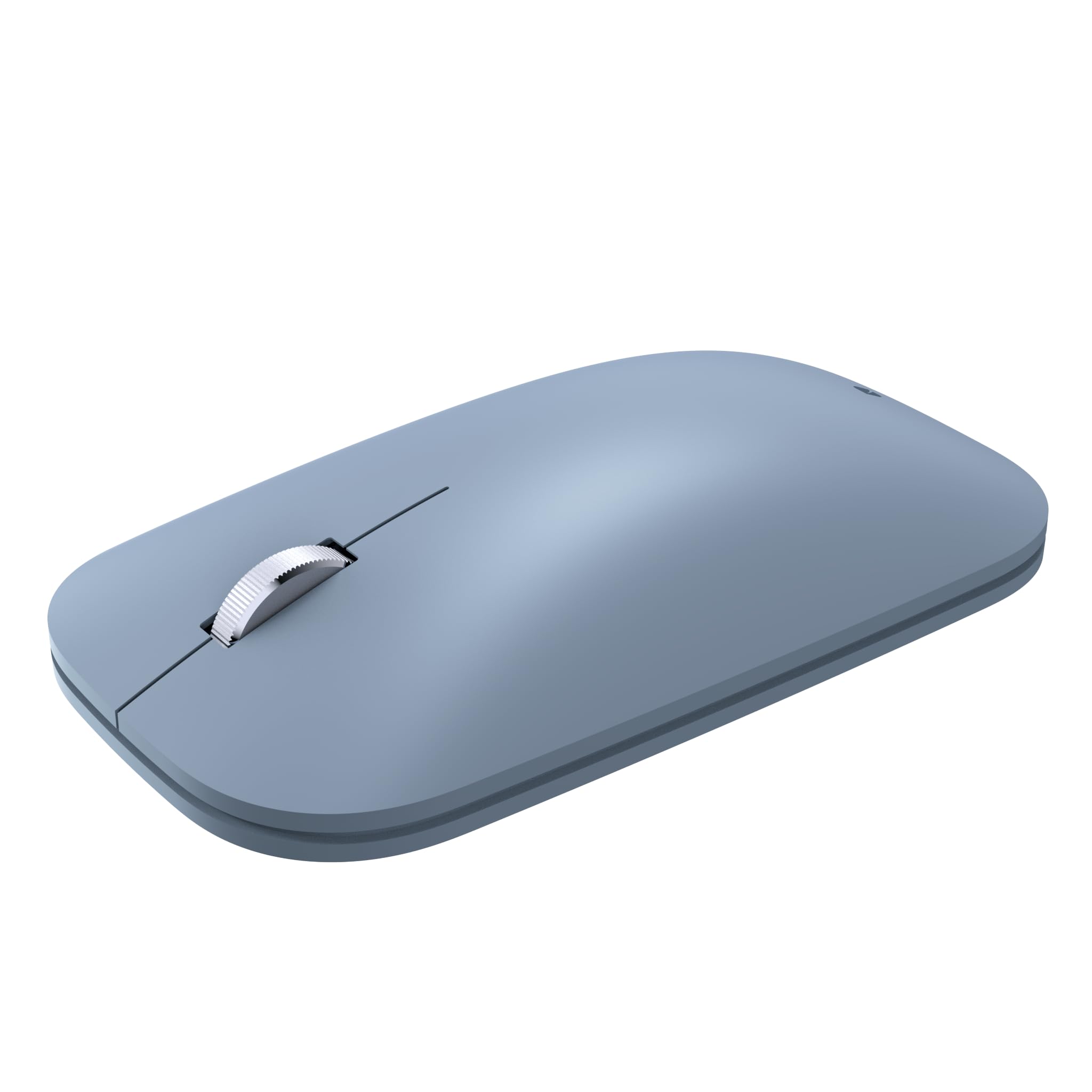
Key Features
- Connectivity: Bluetooth
- Size & Weight: 91g, 5.3×3.5in
- Battery Life: 6 months AAA
- Buttons & Customization: 2 buttons + scroll wheel
- Ergonomics: Ambidextrous, small
- Price: Premium
This mouse closely matches Microsoft’s Surface Mobile Mouse in appearance and feel, with BlueTrack tracking that works on glass and fabric. However, it runs on AAA batteries rather than a rechargeable Li-ion pack, and long-term durability data is thin given the pool of user feedback available. For Surface owners who want the same look without the Microsoft price tag, this is a cost-effective alternative — but those needing rechargeable convenience or proven longevity may prefer the original.
Pros
- Visually and materially identical to Microsoft’s Surface Mobile Mouse for less
- BlueTrack sensor tracks on varied surfaces including glass and fabric
- Smooth Bluetooth pairing with Surface devices
Cons
- Wheel noise is noticeable in quiet spaces — common for compact mechanisms
- Left button may degrade under heavy use over time
Best for Surface users who want the design match at a lower price and can accept AAA batteries and a non-silent scroll wheel.
How to Choose
The best travel mouse balances portability with comfort and reliable connectivity, and the choice depends on how you really use it on the road.
Connectivity: Bluetooth vs. Dongle
Bluetooth frees you from dongles and works with tablets, but it can suffer from interference in crowded spaces like airports or conference halls. A 2.4 GHz dongle offers more stable tracking but occupies a USB port and is easy to lose.
Dual-mode mice (Bluetooth + dongle) give you a backup when one fails. If you switch between a laptop and a tablet, Bluetooth-only is fine; if you need rock-solid tracking for precise work, a dongle is safer.
Size & Weight
Ultra-light mice under 60g disappear into a pocket but often force a claw grip that fatigues during extended use. Heavier mice around 100g provide a more stable feel on soft surfaces like a bed or blanket.
Measure your hand: if your palm is longer than 7 inches, expect discomfort from mice under 4 inches in length. A 4.5-inch mouse can still be pocketable while offering a relaxed palm contact.
Battery Life & Charging
Disposable AA/AAA batteries last months and never degrade, but you must carry spares. Rechargeable mice eliminate battery waste but lose capacity over years and need a cable or charger on the road.
A 70-day rechargeable battery works for most trips, but if you frequently work away from power for weeks, a 12-month disposable battery is more practical. USB-C charging is a must for modern travelers to reduce cable clutter.
Buttons & Customization
Side buttons for back/forward navigation are a major productivity boost for web browsing, but many budget mice omit them or include non-functional ones (check reviews). Programmable buttons require software that may not run on all operating systems.
If you rely on shortcuts, invest in a mouse with proven button durability. Scroll wheel quality also matters: a tactile wheel is quieter for step-by-step scrolling, while a free-spin wheel is faster for long documents.
Ergonomics
Ambidextrous shapes are rare in travel mice; most are right-handed. A low, flat profile (like many Pebble-style mice) sacrifices palm support for pocketability. A sculpted hump fills the palm but adds bulk.
If you use a mouse more than two hours daily, prioritize a shape that matches your grip — claw, fingertip, or palm. For short bursts, a flat mouse works fine. Always test the click force: stiff buttons cause fatigue faster than light ones.
FAQ
Why does my new silent mouse still make noise when I scroll?
‘Silent’ typically refers only to the left/right clicks — the scroll wheel mechanism is mechanical and produces an audible click or tick. Some brands add dampening, but a completely silent scroll wheel is rare. If noise is critical, look for a model with a smooth, notched-less scroll wheel or read reviews specifically mentioning wheel noise.
Is a Bluetooth travel mouse better than a wireless dongle mouse for laptops?
Bluetooth is more convenient because it doesn’t require a USB dongle and works with tablets, but it can suffer from interference in crowded areas and sometimes has a slight delay. A 2.4 GHz dongle offers lower latency and more stable tracking, ideal for precision work. If you often switch between devices, Bluetooth wins; if you need absolute reliability, go dual-mode (Bluetooth + dongle).
Can a small travel mouse be comfortable for large hands?
Generally no — large hands (palm over 7 inches) will fatigue quickly with mice under 4 inches long due to forced claw gripping. If you have large hands, look for a travel mouse that is at least 4.5 inches long and has a prominent hump for palm support. Otherwise, use it only for short sessions and carry a larger mouse for extended work.